


Why use an online 90-minute timer?
Modern timers have become indispensable tools across various aspects of our lives. Whether for work, rest, or physical training, they help us manage our time, boost productivity, and achieve our goals. A free online 90-minute timer with a beep sound offers a simple, convenient solution usable in a wide range of scenarios.
You might also want the 1-hour timer or the 2-hour timer.

- Exercise
- Work Sessions
- Daytime Rest
- Presentations
- Reading
In physical activities, time control is crucial. A 90-minute timer is ideal for workouts, such as yoga, running, or cycling. Allocating time for exercise helps keep the body in shape and monitor progress. After such a workout, you'll feel energized for the entire day.
Using a 90-minute timer for work tasks allows for efficient time management. The session method helps focus on a single task, avoiding overload. For instance, you can dedicate an hour and a half to writing a report, followed by a short break. This increases productivity and reduces fatigue.
The 90-minute timer is perfect for daytime rest. This time frame allows for complete rejuvenation and can significantly improve your well-being for the rest of the day.
A 90-minute timer can aid in preparing and conducting presentations. This tool allows for structuring materials and fitting them within the allotted time. Setting the timer helps control the duration of the performance and avoid delays, positively affecting how your presentation is perceived by the audience.
Regular reading using a 90-minute timer promotes the formation of a beneficial habit. This approach allows you to focus on the book, improve concentration, and read more material. It's a great way to spend time productively and enhance cognitive abilities.
This free online 90-minute timer with a beep is a handy, modern tool that will help you manage your time effectively in various situations. Try using it in your daily life and feel all the benefits it can offer.
Optimizing the use of a 90-minute timer for maximum benefits
As online timers gain popularity as time management tools, understanding how to utilize a 90-minute timer effectively is key to enhancing productivity. Proper use not only structures your day but also leverages short bursts of concentration followed by breaks to maintain mental agility and motivation.
Firstly, structuring your day using the timer to segment tasks into manageable intervals can dramatically increase focus and reduce the tendency to procrastinate. For instance, setting the timer for a 90-minute focused work session followed by a 15-minute break allows the mind to rest and reset. This approach, similar to the Pomodoro Technique, helps maintain a high level of productivity without leading to burnout. It's particularly effective in managing large projects by breaking them down into shorter, more focused work periods that ensure steady progress without overwhelming the individual.
Moreover, using a timer helps to combat procrastination by creating a sense of urgency. Knowing you have a set period to complete a task can kickstart your motivation. For tasks that seem daunting, breaking them down into 90-minute chunks makes them appear more manageable. This method not only helps start the task but also provides a clear end point, which can be particularly motivating. Celebrating small victories after each session can also foster a positive mindset and encourage continued effort.
Finally, a timer is invaluable in maintaining a healthy balance between work and rest. Allocating 90 minutes for focused work followed by a substantial break allows the mind to recover and enhances overall productivity. This routine prevents fatigue and ensures that both mental and physical health are preserved, which is essential for long-term success and well-being.

Fact
Just ten minutes of intense physical activity can increase endorphin levels in the body, enhancing mood and overall well-being. This biological response is a powerful reminder of the immediate benefits of staying active, even for short periods.
Timer functions
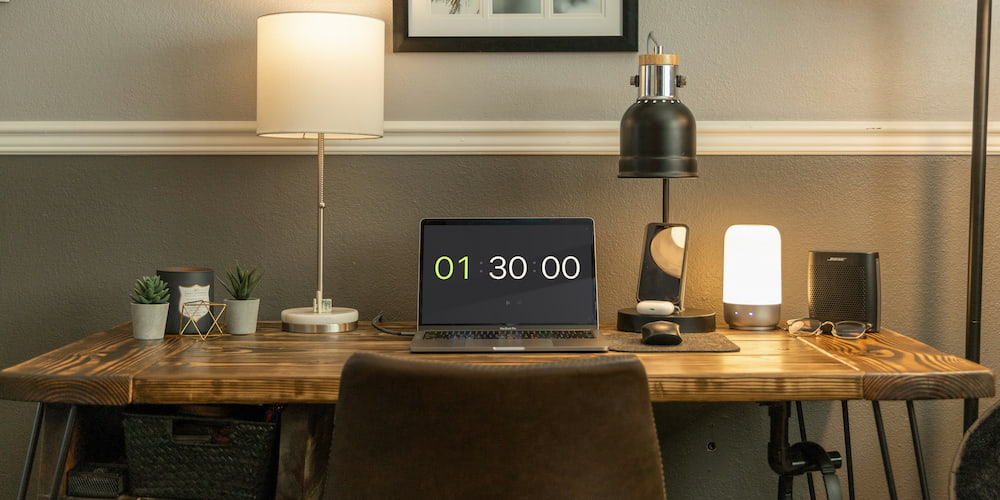
The 90-minute online timer is not just about counting down; it's equipped with features that make it a versatile and indispensable tool for anyone looking to optimize their time management. From customizable alerts to user-friendly adjustments, this timer is designed to support a variety of tasks effectively. Let's delve into its core functionalities.
- Sound Alerts:
- On-Page Time Adjustments:
- Expanded Timer Functionality:
- Full-Screen Mode:
The timer features customizable sound alerts that users can turn on or off as needed. You can select from a variety of sounds to suit your preference, ensuring you are aware when your 90 minutes are up. This is especially useful in environments where you may not be continuously watching the clock, allowing you to focus on the task at hand without missing the end of your set time.
Adjusting the timer is straightforward and intuitive directly on the page, not just within the settings menu. This feature enhances user experience by making it quick and easy to set or change the countdown as needed, without navigating away from the task or the timer interface. Whether you need to add a few more minutes or reset the time entirely, these adjustments are just a click away.
For tasks where 90 minutes might not suffice, the timer interface allows for the addition of hours, making it adaptable for longer activities. This flexibility is beneficial for extended study sessions, lengthy meetings, or even slow-cooking recipes, ensuring the timer can meet a wide range of timing needs.
For presentations, speeches, or any public speaking event, the full-screen feature is invaluable. Activating this mode allows the timer to be seen easily from a distance, helping speakers manage their allotted time without the need to constantly check a small device. It ensures that your presentation adheres to the expected timeline.
Frequently Asked Questions
Below you'll find answers to common questions about using the 90-minute online timer, its features, and how to leverage it effectively for various tasks and activities.
Is a 90-minute timer suitable for exercise?
Yes, a 90-minute timer is perfect for various workouts, including yoga sessions or cycling. It helps in structuring your exercise time efficiently, ensuring you maintain pace and endurance throughout your session.
What are the benefits of the full-screen mode on the timer?
The full-screen mode makes the timer clearly visible from afar, which is extremely useful during presentations or speeches. It helps keep your delivery within the scheduled time, ensuring a more organized and effective presentation.
Can the sound alert of the timer be customized?
Yes, the timer allows you to toggle the sound alert on or off and choose from a range of alert sounds. This feature ensures that you are aware of the time elapsing, even if you are not constantly watching the screen.
Can the timer be paused and resumed?
Yes, the online timer can be paused if you need a break and resumed to continue from where you left off, making it flexible and user-friendly for tasks that require interruptions.
Is there a way to use the timer for team activities?
The timer can be used for team activities by projecting the full-screen mode during meetings or collaborative sessions, ensuring everyone is aligned on time for brainstorming sessions or time-bound discussions.
What's the shortest time I can set on this 90-minute timer?
Despite the fact that it is designed for 90-minute intervals, you can set it to count down any shorter period, which makes it versatile for various tasks.