


Exploring the benefits of a 50-minute timer
Online timers are increasingly popular for their simplicity, convenience, and variety of useful features. The 50-minute timer, in particular, is perfect for a wide range of tasks, from boosting productivity to providing well-timed breaks and workout sessions.
Also popular around this length: the 45-minute timer and the 55-minute timer.

- Enjoying cycling trips
A 50-minute cycling trip is a great way to enjoy the outdoors and improve your physical health. Set the timer and take a scenic ride, making the most of the fresh air and exercise.
- Boosting workplace productivity
Time management systems often advocate for dividing the workday into manageable intervals. Set the timer for 50 minutes and dedicate this time solely to a specific task. This method enhances focus, minimizes procrastination, and increases productivity. After the time is up, take a short break to rejuvenate and prepare for the next task.
- Optimizing workout sessions
A 50-minute session of moderate-intensity physical activity is a fantastic way to maintain fitness. Set the timer and embark on a structured workout or a brisk walk. This duration is optimal for boosting overall well-being and energy levels without leading to exhaustion.
- Enhancing rest and recovery
Setting aside 50 minutes for a daytime break can significantly improve concentration and productivity for the rest of the day. Use the timer to ensure a peaceful, uninterrupted rest period, free from all external disturbances. This kind of break is essential for mental rejuvenation and stress relief.
- Structuring presentations
If you need to prepare and deliver a structured presentation within a tight schedule, a 50-minute timer is your ally. Use the timer to practice your presentation, giving adequate time to each slide and key point, ensuring a well-paced delivery that covers all critical areas efficiently.
- Fostering reading and self-education
Regularly dedicating 50 minutes to reading can expand your knowledge and allow you to get through several books a month. Set the timer and immerse yourself in a book without distractions, making the most of your reading time.
- Culinary experiments
In the kitchen, a 50-minute timer can be invaluable for recipes that require precise timing. Use the timer for baking, simmering, or other cooking processes where time management is crucial to achieve the perfect dish.
Using a 50-minute online timer with a sound alert is a simple yet effective way to manage time across various aspects of life. Try incorporating it into your routine for productivity, fitness, relaxation, and other activities, and notice the positive changes it brings.
Maximizing the benefits of a 50-minute timer
Using a 50-minute online timer can be a powerful tool for time management and boosting productivity. To derive the most benefit from using this timer, it is crucial to integrate it effectively into your daily rituals and tasks.
The first step towards effective use of the timer is planning. Before you begin a work session or exercise routine, clearly define the task you want to address in the next 50 minutes. Break large tasks into smaller, manageable stages, allocating a 50-minute interval for each. This approach helps maintain focus and makes tasks more achievable. For instance, if you're working on a project report, break it down into sections such as research, writing, and reviewing, and dedicate a timer session to each part.
Another crucial aspect is discipline and concentration. Once you set the timer for 50 minutes, dedicate this time entirely to the task at hand, avoiding all distractions. Turn off notifications on your phone, close unnecessary browser tabs, and optimize your workspace. The more focused you are during these 50 minutes, the more you will accomplish. This disciplined approach is especially beneficial for tasks requiring deep concentration, such as writing, coding, or complex problem-solving.
A third tip is to make effective use of breaks. After the 50 minutes are up, take a mandatory short break to rest and recharge. This could be a 5-10 minute break during which you can stretch, take a walk, or simply relax. Such breaks help prevent burnout and maintain high productivity levels throughout the day. Additionally, these breaks serve as mini-rewards, motivating you for the next session and helping to sustain motivation over longer periods.

Fact
People perceive time differently depending on their age. Children often feel that time moves slower, while adults experience the years flying by faster. This is due to changes in brain function and the number of new experiences encountered.
Useful tips and recommendations
Effective use of a 50-minute timer requires the right approach and discipline. Below are several practical tips and recommendations that will help you use this tool effectively.
- Plan tasks in advance
Before starting your workday, list your tasks and break them into 50-minute intervals. This helps better organize your time and enhance task execution efficiency.
- Train with the timer
Training for 50 minutes is a great way to maintain physical fitness. Set the timer and fully focus on your exercises. Regular medium-intensity workouts improve overall well-being.
- Rest with the timer
Use a 50-minute timer for daytime rest or meditation. This helps reduce stress levels, restore concentration, and increase productivity throughout the day.
- Read regularly
Reading for 50 minutes a day helps broaden your horizons and improve cognitive abilities. Set the timer and immerse yourself in reading.
- Set realistic goals
Break large tasks into smaller ones and set realistic goals for 50-minute intervals. This helps avoid a feeling of overload and increases motivation to complete tasks.
Key features of a 50-minute online timer
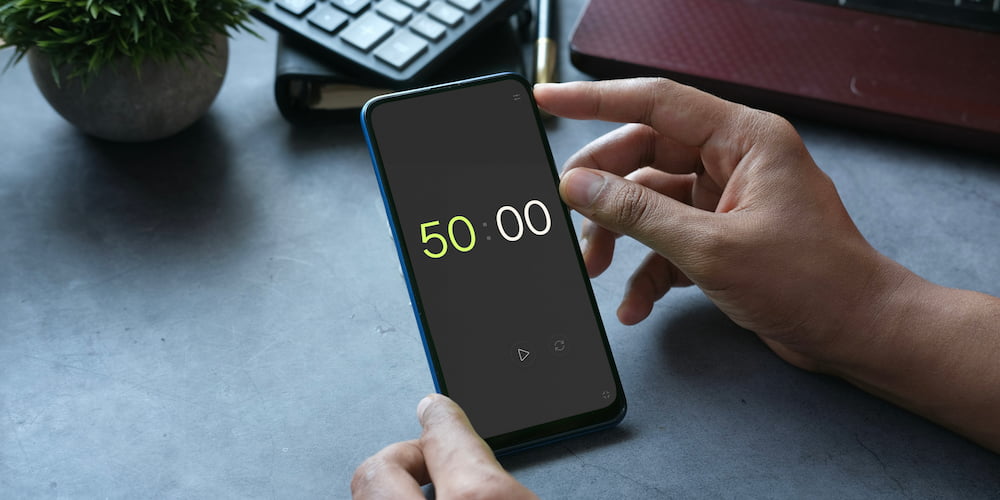
The free online 50-minute timer is equipped with various features that make it a versatile and useful tool for managing time across different tasks. Let's explore the core functionalities of this timer and how they can enhance your time management experience.
- Sound Alert:
You can customize the sound alert according to your preferences. This includes the ability to turn the sound on or off and choose from a variety of alert sounds. Such customization is useful for creating a comfortable working environment or for ensuring you are notified when time is up in a noisy setting.
- Interface Value Settings:
The timer allows you to adjust settings directly through the interface on the page, making it more user-friendly. You can quickly and easily set the time without the need to navigate to a separate settings menu, streamlining your workflow.
- Full-Screen Functionality:
The timer can be used in full-screen mode, which is particularly beneficial for presentations, educational sessions, or any situations where it is crucial to see the timer from a distance. This feature helps keep everyone in a room aware of the time remaining without needing to access personal devices.
FAQ
In this section, we answer the most common questions related to the use of the free online 50-minute timer. We explore various aspects of its application, features, and benefits.
What is the most effective way to use a 50-minute timer?
The most effective way to use a 50-minute timer is by implementing focused work sessions followed by a short break, known as the Pomodoro Technique. This method enhances concentration and productivity by providing structured time for focused work and necessary breaks.
Can the 50-minute timer be used for exercise routines?
Yes, the 50-minute timer is perfect for exercise routines. You can set the timer for your workout session, allowing you to concentrate fully on your exercises while maintaining a consistent pace and intensity.
How does a 50-minute timer aid in preparing presentations?
A 50-minute timer helps structure the time for both preparing and delivering presentations. It allows you to focus on key points and stay within the allotted time, ensuring a concise and impactful presentation.
What additional features does the 50-minute online timer offer?
The 50-minute online timer includes features like a customizable sound alert, the ability to adjust settings directly in the interface, a clock addition for longer tasks, and a full-screen mode for enhanced visibility during presentations and meetings.
How can I customize the sound alert on the timer?
You can enable or disable the sound alert, select a preferred sound, and adjust the volume directly through the timer's settings to suit your environment and preferences.
Is it possible to extend the timer beyond 50 minutes?
Yes, you can extend the timer beyond 50 minutes by using the clock addition feature in the interface, which allows for longer durations suitable for extended tasks or projects.
Can the 50-minute timer be used for team activities?
Absolutely, the 50-minute timer is ideal for team activities such as brainstorming sessions and sprints, where keeping track of time is essential for effective collaboration and productivity.
Can I use the timer for daily relaxation techniques?
Yes, the timer is also excellent for scheduling daily relaxation techniques like meditation or power naps, helping to ensure you get a perfect balance of work and rest throughout the day.