


Exploring the versatility of a 45-minute timer

Online timers have become indispensable tools in our daily lives, and our free 45-minute timer stands out for its simplicity, convenience, and modern design. This versatile timer can enhance productivity and help structure time effectively across various activities. Let's delve into several scenarios where this timer proves particularly useful.
If this isn't quite the length you need, the 40-minute timer and 50-minute timer are close by.
- Cooking
Cooking often requires precise timing. A 45-minute online timer helps avoid overcooking or undercooking, ensuring your dishes turn out just right. This tool is essential for achieving culinary perfection.
- Work sessions
Using a 45-minute timer for focused work sessions can significantly boost productivity. Concentrate on a single task for 45 minutes followed by a short break. This method helps prevent burnout and enhances concentration on the task at hand.
- Study and reading
Dedicating 45 minutes a day to reading or studying can greatly expand your knowledge and skills. Over a month, this practice can help you finish several books or deepen your understanding of new subjects, fostering personal and educational growth.
- Fitness and exercise
Engaging in physical activity for 45 minutes keeps your body fit and your mind energized. Whether it's cycling or a gym session, this duration is ideal for maintaining a healthy lifestyle and boosting overall well-being.
- Presentations and speeches
A 45-minute timer is perfect for preparing and delivering presentations. It allows for a structured delivery of key points without overextending the attention span of your audience. Using a timer ensures adherence to your allotted time, making your presentations more effective.
- Overcoming procrastination and enhancing motivation
If starting tasks is challenging, setting a 45-minute timer can serve as a great motivator. Knowing you only need to focus for a brief period makes it easier to get started and combat procrastination. The timer adds an element of play and facilitates quick engagement with your tasks.
- Daytime naps
Setting a timer for a 45-minute nap can enhance concentration and restore energy. This duration is just enough to refresh without feeling groggy afterward, making it ideal for a midday rejuvenation.
In conclusion, the free online 45-minute timer is a universal tool that finds utility in a variety of life's arenas. Its ease of use and convenience make it an essential aid for increasing productivity and efficiently organizing time.
Harnessing the full potential of a 45-minute timer
Using a 45-minute online timer is not just about counting down the minutes; it's about strategically enhancing productivity and focus. This powerful time management tool can transform how you approach both work and study tasks, allowing you to maximize efficiency and minimize procrastination.
To get the most out of your 45-minute timer, it's essential to plan your tasks in advance. Before starting the timer, clearly define the tasks you aim to complete within the allotted time. This preparation helps you focus directly on the task at hand, reducing the chance of distractions. By breaking down larger projects into manageable 45-minute segments, you can tackle complex work in a more structured and less overwhelming manner. This method not only streamlines your workflow but also provides the satisfaction of small, consistent accomplishments, which can be highly motivating.
Another key strategy is to ensure you take a short break after each 45-minute work session. A 5-10 minute pause can significantly enhance your mental and physical stamina. These breaks prevent fatigue and maintain high productivity throughout the day. They also provide a moment to reflect on the work done and prepare for the next task, keeping your mind sharp and engaged.
Finally, the act of setting a timer creates a sense of urgency, which can spur you to work more swiftly and efficiently. Knowing that the clock is ticking helps you stay on task and resist the urge to give in to distractions. Regular use of a timer encourages better time management skills and self-discipline, enabling you to optimize your daily routine and achieve greater productivity in less time.

Fact
Regular use of 45-minute work sessions can enhance time management skills and increase overall work efficiency.
Effective strategies for maximizing timer use
Incorporating a timer into your daily routine can streamline productivity and help overcome common psychological barriers such as procrastination. Here, we offer practical advice backed by scientific research and real-world examples, demonstrating how to leverage a 45-minute timer for optimal results.
- Overcome procrastination
Procrastination is often linked to fears of failure or success. By setting a timer for 45 minutes and starting with a simple task, the countdown can help mitigate the dread of beginning and motivate you to act. This method reduces the inertia associated with starting tasks, particularly those perceived as overwhelming or unpleasant.
- Segment tasks into 45-minute blocks
Large projects can seem daunting. Dividing work into 45-minute segments helps focus on manageable steps, reducing feelings of overload and enhancing overall productivity. This approach encourages frequent reassessments and adjustments, keeping you closely aligned with your objectives.
- Schedule breaks strategically
Regular breaks are crucial for maintaining productivity. After a 45-minute work session, taking a 5-10 minute break can significantly improve focus and prevent mental and physical burnout. This interval helps rejuvenate your mind, preparing you for the next productivity session.
- Optimize reading and learning processes
Consistent 45-minute periods dedicated to reading or learning can enhance information retention. The use of a timer disciplines the learning process, allowing dedicated focus on self-education, which facilitates personal growth and development.
- Facilitate creative sessions
For artists, writers, and other creatives, 45-minute sessions can help focus efforts on content creation. This timing helps prevent creative blocks and stimulates the creative process, making it easier to produce innovative and original work.
- Enhance family activities
Using a timer for family activities like games or creative projects can strengthen family bonds and create positive memories. It helps structure the time spent together, ensuring that activities are engaging and enjoyable for all family members.
Key functions of the 45-minute online timer
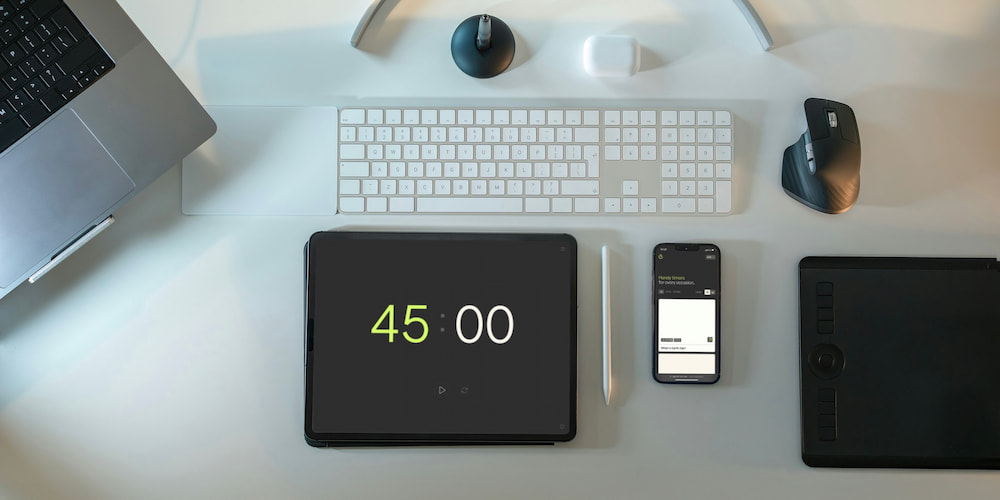
Our free 45-minute online timer offers more than just a countdown mechanism; it includes a range of functionalities designed to adapt to various needs, making it a versatile tool for both professional and personal use.
- Sound customization:
The timer includes an audible alert feature, which can be toggled on or off and allows selection from a variety of sounds. This flexibility enables you to choose alerts that are either soothing or attention-grabbing, depending on your environment and personal preference.
- Interactive value settings:
A standout feature of this timer is the ability to adjust settings not only within a dedicated menu but directly in the interface on the page. This user-friendly design ensures that setting or changing the countdown duration is quick and intuitive, allowing for immediate customization to fit any task.
- Expanded functionality with clock display:
If minute increments are insufficient for your needs, you can enhance the timer's functionality by adding an hour display in the interface. This feature is particularly useful for longer durations and more complex tasks that require precise time management over extended periods.
- Full-screen mode:
This timer supports a full-screen mode, which is excellent for presentations, reports, and speeches. The full-screen feature ensures optimal visibility, allowing you to monitor time effortlessly during activities that demand a clear and uninterrupted focus on the passing minutes.
FAQs
Here are answers to some frequently asked questions about the usage and benefits of a 45-minute timer.
How does using a timer enhance productivity?
Using a timer helps structure your workday and focuses your attention on specific tasks, thereby increasing productivity as you clearly know how much time is allotted for each task.
Can a timer improve learning processes?
Yes, a 45-minute timer facilitates focused study sessions, improving information retention and comprehension through regular breaks and concentrated study periods.
How does a timer aid in time management?
A timer sets clear time limits for tasks, helping you plan your day more effectively and avoid delays, especially beneficial for those with busy schedules.
What are the advantages of the full-screen mode on a timer?
Full-screen mode enhances the timer's visibility, making it ideal for presentations, group sessions, and other activities where it is essential to see the timer from a distance.
Why is a timer useful in combating procrastination?
A timer creates a sense of urgency that motivates you to start working. The countdown helps overcome the initial resistance to task initiation and promotes productive activity.
What is the best sound alert to choose for the timer?
The choice of sound alert depends on your preferences and environment. For instance, a soft tone works well in a quiet office, while a louder, sharper sound may be needed in a noisy environment.
How can setting a timer for 45 minutes specifically aid in cooking?
A 45-minute timer is perfect for baking or cooking processes that require precise timing, helping ensure that food is cooked perfectly without overcooking or undercooking.