


Why use an online timer for one hour?
An online one-hour timer is a versatile and effective tool for time management. It enhances organization, boosts focus, and elevates productivity for both personal and work-related tasks. Due to its simplicity and functionality, this timer is suitable for various daily scenarios. Below, we explore several practical applications of a one-hour timer, each illustrated with examples.
Not the right duration? Jump to the 60-minute timer or the 90-minute timer.

- Cooking
- Work tasks
- Daytime rest
- Physical workouts
- Education and self-study
The one-hour timer is perfect for recipes that require long cook times on the stove or in the oven. It helps you precisely manage cooking times, ensuring your dishes are perfectly done every time.
Breaking your workday into one-hour intervals can lead to more efficient use of time and reduce the feeling of being overwhelmed. For instance, if you're tackling a large project, divide it into smaller sections and dedicate an hour to each part. This method allows for intense focus on each task, enabling you to complete high-quality work within deadlines.
A one-hour break during the day can significantly improve your productivity and rejuvenate your energy. Consider a walk in nature or a simple relaxation period for one hour to refresh your mind and increase focus for the rest of your day.
A one-hour workout is an excellent way to maintain physical fitness and health. You can use the timer to keep track of your gym sessions or outdoor activities. Regular one-hour exercise sessions enhance endurance and overall well-being.
Consistently dedicating an hour each day to reading or learning new material can greatly enhance knowledge absorption and broaden your horizons. For example, an hour spent reading scientific literature or educational materials can keep you updated with the latest research and technological advancements.
How to optimize the use of a one-hour timer for maximum benefits
Using a one-hour online timer is a potent tool for enhancing productivity and managing time more effectively. Employing this timer thoughtfully can help you perform tasks more efficiently, improve concentration, and achieve your goals with greater precision.
First and foremost, setting a timer establishes clear temporal boundaries, which aids in maintaining focus on the task at hand. Set the timer for one hour and dedicate this time entirely to the task, turning off all potential distractions such as phone notifications or unnecessary browser tabs. This method allows for a deeper immersion in the task, significantly boosting efficiency. Furthermore, having a set limit can stimulate a sense of urgency, which may help you start and complete tasks that you might otherwise procrastinate on.
Additionally, a timer encourages you to break your work into more manageable segments and schedule regular breaks. By working for one hour and then taking a short break, you can avoid mental fatigue and maintain high productivity throughout the day. For instance, after an hour-long work session, take a 10-minute break to relax, go for a walk, or perform some light exercises. This routine will help rejuvenate your energy and continue working effectively.
Finally, using a timer allows for better planning and tracking of task progress. Monitor how much time you spend on each task to more accurately plan your day and identify areas for efficiency improvement. If you find you're spending too much time on routine tasks, you might consider revising your approach to find more productive methods. Celebrating small milestones can also serve as motivation, reinforcing your progress and keeping you driven towards your larger goals.

Fact
Regularly reading for one hour a day can lead to finishing approximately 20 books a year, significantly broadening one’s horizons and enhancing cognitive abilities.
Effective strategies for maximizing the utility of a one-hour timer
These recommendations focus on overcoming procrastination, improving task management, and enhancing cognitive performance through structured time use.
- Start with the easiest task
- Single-task focus
- Create artificial deadlines
- Schedule regular breaks
- Monitor time expenditure
- Integrate the timer with other tools
- Break down complex tasks
Initiating your workday with a straightforward task and setting a timer for one hour can help ease into a productive rhythm. This strategy addresses the common procrastination trigger of fear of starting, by reducing the task's perceived difficulty and complexity.
Commit the hour to one specific task, avoiding multitasking, which often dilutes attention and reduces overall output. This focused approach aids in maintaining high productivity levels and minimizing distractions that can derail work progress.
Using a timer to establish a finite working period can spur action and help complete tasks more quickly. This is particularly effective for breaking the cycle of postponement fueled by the adrenaline of last-minute rushes.
Intersperse focused work intervals with short breaks to prevent mental fatigue and sustain concentration. After every hour of work, a 5-10 minute break involving physical movement or relaxation can significantly boost subsequent productivity.
Using a timer to track how long different tasks take can inform better planning and identify inefficiencies in your workflow. This method helps adjust your approaches to tasks that may require too much time, enhancing overall efficiency.
Linking the timer with your calendar or task manager can streamline your schedule, ensuring you remember important deadlines and appointments, thus improving your time management and organizational skills.
Divide larger projects into manageable one-hour blocks. This approach reduces overwhelm and allows for more focused and effective efforts on each segment of the task, enhancing your ability to handle complex projects with ease.
Features of the free online timer for 1 hour
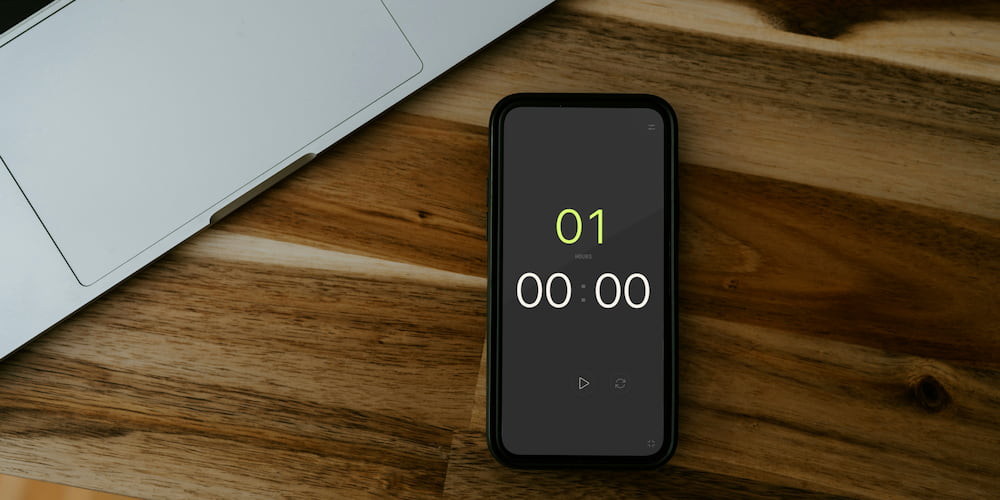
This free online one-hour timer is packed with features that make it a versatile and user-friendly tool for time management. Let's delve into the primary functionalities that enhance its utility for a variety of tasks.
- Sound alert customization:
- Interactive settings on the interface:
- Toggle for clock display:
- Full-screen mode:
The timer includes a sound alert feature that can be toggled on or off, depending on your needs. You can also select from a variety of sounds to suit your preference. This feature is particularly useful in environments where audio cues are needed to signify the end of a countdown, such as in classrooms, gyms, or while cooking.
Users have the flexibility to adjust timer settings not only through a dedicated settings menu but directly from the main interface. This functionality allows for quick and easy modifications to the timer, saving time and simplifying its use for tasks that require frequent adjustments.
This timer offers the ability to turn on or off the display of hours and minutes, making it adaptable to different needs. For example, you can set the timer for minutes only, which is ideal for short-duration activities where the focus needs to be on precise intervals without the distraction of unnecessary information.
The full-screen feature enhances visibility and focus, making the timer ideal for presentations, reports, or speeches. In full-screen mode, the timer becomes easily visible from a distance, suitable for environments like conference rooms or classrooms where a clear display is essential.
FAQs
In this section, we've compiled and answered some of the most common questions about using a free online one-hour timer. These questions cover various aspects of the timer's use and features.
Can the sound alert of the timer be customized?
Yes, the timer's sound alert can be turned on or off and customized in the settings. This flexibility is especially useful in different environments, whether quiet or noisy.
What unique features does this timer offer for classroom use?
For classroom settings, the timer provides a full-screen mode and customizable sound alerts, making it easy to monitor time during exams, activities, or presentations.
Does the one-hour timer require any registration or installation?
No, the one-hour timer is readily accessible online without any need for registration or installation, offering immediate usability and convenience.
How does setting a one-hour timer combat procrastination?
Setting a one-hour timer creates a sense of urgency and a mini-deadline that helps overcome the inertia of procrastination, making it easier to start and complete tasks efficiently.
Is this timer mobile-friendly?
Yes, the timer is fully optimized for mobile devices, allowing users to manage time effectively on smartphones and tablets from anywhere.
Can I use the one-hour timer for meditation and relaxation?
Absolutely, the timer is ideal for setting aside time for meditation or relaxation activities, helping establish a consistent routine to enhance well-being.