


Why use an online timer for 40 minutes?

A free online 40-minute timer with a convenient interface and sound alert becomes an indispensable tool for various tasks. Its simplicity, modern design, and high functionality make it an excellent choice for those who want to effectively manage their time. In this article, we will look at several scenarios for using such a timer and the advantages of its application.
Timing something shorter or longer? See the 35-minute timer and the 45-minute timer.
- Reading and self-education
- Managing work tasks
- Short rest
- Physical activity
- Preparation and conducting presentations
Reading a book for 40 minutes each day allows you to quickly and effectively acquire new knowledge. This approach helps create a useful habit and significantly increases the volume of literature read over a short period of time.
Planning work time using 40-minute intervals helps better concentrate on task completion. For example, the Pomodoro method recommends working for 25 minutes and resting for 5 minutes, but this method can be adapted by extending the work time to 40 minutes and taking longer breaks. This allows for deeper immersion in the task and increases productivity.
If you feel fatigue or a decrease in concentration, a 40-minute break will help restore energy and improve focus. Research shows that such rest can significantly increase productivity and improve well-being.
Engaging in sports activities, such as cycling for 40 minutes, promotes better physical fitness and energizes you for the whole day. Regular physical activity in this mode helps maintain cardiovascular health and enhances overall well-being.
The ideal duration for a presentation is about 40 minutes, which allows presenting the main ideas and leaving time for questions and discussions. Using a timer helps strictly adhere to time limits and prevents overloading the audience with information.
Using a free online 40-minute timer with a sound signal offers many possibilities for improving efficiency and managing time. Its simplicity and convenience make it an ideal tool for various tasks, from work to relaxation and training.
Maximizing benefits with a 40-minute timer
The online 40-minute timer with an alarm can become an indispensable tool in organizing your time. Whether you are working on a project, engaging in physical activities, or simply relaxing, using the timer correctly can help you achieve maximum productivity.
Break large tasks into smaller ones. By dividing complex projects into simpler stages, you can focus more easily on each task. Using a 40-minute timer helps you concentrate on one stage at a time, avoiding distractions from the overall task, which significantly boosts your productivity and reduces the feeling of being overwhelmed.
Be motivated by small achievements. Completing each 40-minute session is an accomplishment worth celebrating. Gradually completing tasks using the timer helps maintain motivation and keeps your energy levels high throughout the workday.
Use the timer for various micro-tasks. For instance, you might spend 40 minutes revising English exercises, cleaning the house, or performing other daily activities. The timer aids in focusing on the specific task at hand, allowing you to manage your time effectively and efficiently.
Fact
Regular use of a timer for task planning can improve time management skills and boost personal productivity.
Practical tips and insights for using a 40-minute timer
Employing a 40-minute timer effectively can greatly enhance your productivity and help in executing various tasks efficiently.
- Combating procrastination
- Breaking tasks into segments
- Eyestrain prevention
- Incorporating physical activity
- Streamlining meetings
- Daily reading or learning
Procrastination is often driven by fears of failure or criticism, and setting a 40-minute timer can act as a simple yet powerful tool to overcome these hurdles. Initiating action with a short, finite period reduces the psychological barrier to starting, helping to mitigate the fear associated with large, overwhelming tasks.
Dividing larger tasks into manageable 40-minute chunks can aid concentration and sustain motivation. This approach aligns with the concept of achieving small victories, where each completed segment reinforces progress and encourages continual effort, thereby enhancing overall productivity.
For those who spend extensive periods at a computer, utilizing a 40-minute timer to take regular breaks can help alleviate eye strain. These frequent pauses are essential for maintaining eye health and preventing fatigue, thereby supporting sustained focus and productivity.
Using the timer to introduce short bursts of physical activity, such as stretching or a brief walk, can invigorate both body and mind. Research supports that moderate exercise, like a 40-minute session, can enhance mood and alertness, which is vital for those engaged in predominantly sedentary work.
Applying a 40-minute limit to meetings can focus discussions and expedite decision-making processes. This practice keeps participants engaged and avoids the common issue of meetings dragging on without productive outcomes.
Dedicating a 40-minute slot each day to reading or learning can accumulate a significant amount of knowledge over time. These consistent, short periods are generally more manageable and effective than less frequent, longer sessions, which can lead to burnout and information overload.
Exploring the functionalities of a free online 40-minute timer
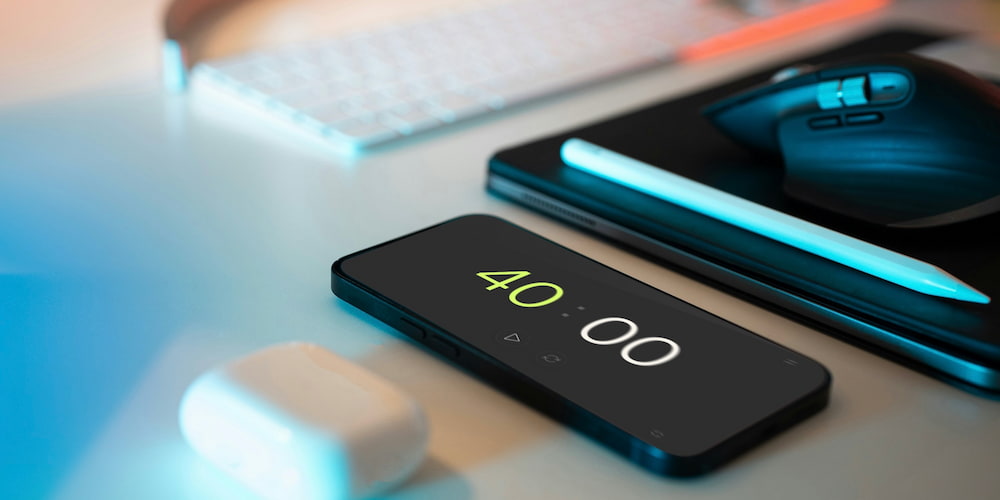
40-minute timer is equipped with multiple features that make it both versatile and effective for a variety of tasks. Let’s delve into the primary functions of the timer and how they can assist in daily activities.
- Sound alert:
- Direct interface adjustments:
- Full-screen mode:
The timer includes a customizable sound alert, which users can turn on or off and select from various sound options to suit their preferences. This feature is particularly useful for those working in different environments or who require an auditory reminder when the time is up.
To enhance user convenience, the timer allows for time settings to be adjusted not only through the settings menu but also directly within the page interface. This feature simplifies the process of setting the desired time, making the timer more intuitive and quicker to use.
The full-screen functionality of the timer makes it ideal for presentations, reports, and speeches. Allocating the entire screen to the timer helps users better manage their time and concentrate on the task at hand without distractions.
Frequently asked questions about the 40-minute timer
Here you can find answers to the most common questions about the free online 40-minute timer. Discover more about its features and how it can be used in various scenarios.
Can the 40-minute timer be used for sports activities?
Yes, the 40-minute timer is perfect for sports activities. It's for timing interval training or cardio workouts, such as running or cycling, helping you efficiently manage time and monitor your progress.
How do I set up the sound on the timer?
The timer allows you to turn the sound alert on or off and choose from various notification sounds. This can be configured through the interface settings, allowing you to customize the timer to your preferences and conditions.
Can the timer be used for study sessions?
Yes, the 40-minute timer is great for study sessions. You can use it for language learning sessions or exam preparation, helping maintain focus and efficiency.
Is the timer suitable for cooking?
The 40-minute timer is suitable for various cooking tasks, such as baking or preparing complex dishes. It helps accurately track cooking time, ensuring your dishes are perfectly done.
How can the timer be used for meditation?
The 40-minute timer can be used for meditation and relaxation. Set the timer for the desired duration and focus on your practice, knowing the timer will notify you when the session ends.
Does the timer support full-screen mode?
Yes, the timer supports a full-screen mode, making it ideal for presentations, reports, and speeches. This mode allows for better time management and concentration on the task without distractions.
Can the timer be used for a short break?
Yes, the 40-minute timer is ideal for short breaks or naps. Such breaks help rejuvenate and improve focus, which is especially useful during busy workdays.
Can I adjust the timer settings from the interface?
Yes, the 40-minute timer allows you to adjust the timer settings directly from the interface, which simplifies setting up and using the timer for different needs.