


Why use a 2-hour online timer?
In today's fast-paced world, managing your time effectively is key to success. A 2-hour online timer is a simple and efficient tool that can help organize tasks, enhance productivity, and combat procrastination. This online timer stands out for its ease of use, modern interface, and audible alert that signals the end of the set period. Let's explore several scenarios where a 2-hour online timer can be indispensable.
Prefer a different countdown? Check the 90-minute timer or the 3-hour timer.

- Work tasks
Utilizing a 2-hour timer can divide work tasks into clear, manageable blocks. For instance, you might dedicate two focused hours to a specific project, followed by a break. This method improves concentration and makes work time more productive.
- Educational sessions
For students, setting a 2-hour timer can carve out dedicated time for studying new material or completing assignments. This approach helps maintain focus and manage workload effectively.
- Daytime rest and relaxation
You can use a two-hour timer to schedule time for daily rest or meditation. This period can help rejuvenate your energy and enhance focus for subsequent tasks. Regular breaks using the timer are beneficial for reducing stress and improving overall well-being.
- Presentations and speeches
During presentations or public speaking events, a 2-hour timer can help you adhere to time constraints and structure your delivery effectively. This is particularly useful for those conducting lengthy presentations who want to ensure they finish within the allotted time.
- Cooking and food preparation
In the kitchen, a 2-hour timer can be an invaluable tool. It allows you to precisely manage cooking times, which is crucial for recipes that require prolonged heating. The timer's alarm will remind you to check on or remove your dish from the oven at just the right moment.
Maximizing the benefits of the 2-hour online timer with sound
A 2-hour online timer with an audible beep is not just a time-tracking device; it's a powerful productivity and task management tool. When used correctly, this timer can greatly enhance your efficiency. Let's explore how to use this timer to achieve the best results.
First and foremost, the timer helps in structuring your time, making it more manageable. Allocating two hours to a specific task or project can minimize procrastination and enhance focus. Establishing clear time boundaries encourages a disciplined approach to task completion. For example, you can use the timer to break down complex projects into two-hour blocks of focused work. This segmentation can help manage large tasks by providing tangible progress points, which in turn can boost motivation and a sense of achievement.
Moreover, the timer can significantly improve concentration. Knowing that you have a set timeframe—like two hours—compels you to utilize that period effectively. This urgency can reduce the likelihood of getting distracted and helps maintain focus on the task at hand. It's particularly beneficial for students and professionals across various fields who need to optimize their time management to achieve their daily and long-term goals.
Lastly, a 2-hour timer can facilitate a balanced schedule of work and rest. You could plan two hours of intense focus followed by a short break, such as a 15-minute rest or a physical activity. This rhythm not only boosts productivity but also helps maintain good health and reduces stress levels.

Fact
The second, as a unit of time, was defined based on the oscillation period of the cesium-133 atom. Atomic clocks, which use this definition, are so precise that they can be off by only one second every 100 million years.
Actionable tips for using a 2-hour timer
Leveraging a 2-hour timer can significantly increase your productivity and organizational skills. There are numerous ways to apply a timer to various tasks, whether for work, study, or relaxation. In this section, we'll look at several key tips and recommendations to help you get the most out of your timer.
- Setting priorities
Before beginning your workday, identify a few key tasks and set your timer for 2 hours. This practice helps you focus on priority tasks and minimizes distractions. Research indicates that multitasking can reduce productivity by up to 40%.
- Overcoming the fear of failure
Fear of failure is a major cause of procrastination for many. By setting the timer for small, manageable tasks initially, you can gradually overcome this fear and build confidence to tackle more complex challenges.
- Boosting motivation
A timer can add an element of gamification to your work. Set a goal to complete a specific task within 2 hours and reward yourself upon achieving it. This method increases motivation and makes the work process more engaging.
- Organizing meetings and sessions
Use the 2-hour timer to manage meetings and sessions effectively. Keeping these gatherings within a strict timeframe ensures efficient use of time.
- Planning rest and relaxation
Employ the timer to schedule two-hour blocks for rest or meditation. This helps rejuvenate your energy and improve focus. For instance, a two-hour break outdoors can significantly boost your energy levels and enhance your mood.
Enhanced features of the free 2-hour online timer
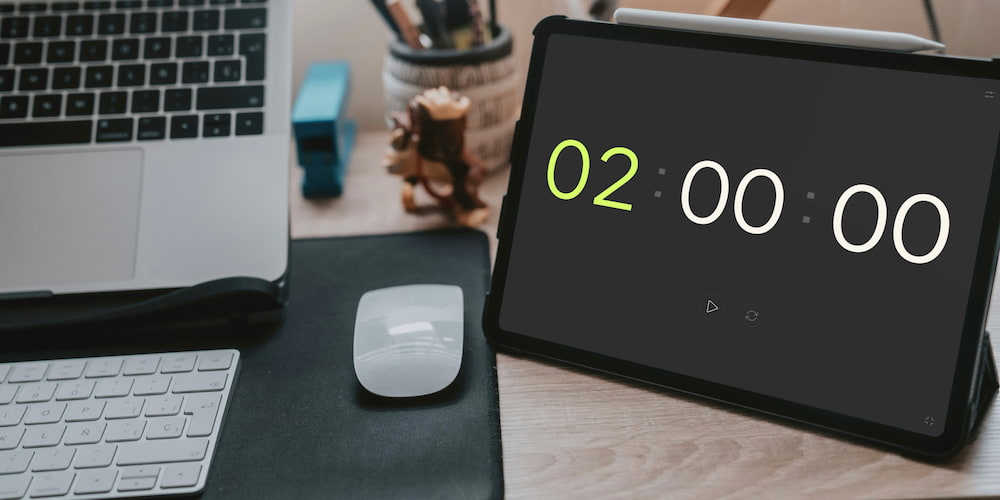
Our free 2-hour online timer offers a range of versatile features that make it a convenient and adaptable tool for various tasks. The following list details the primary functions that can help you utilize the timer efficiently in everyday activities.
- Sound Customization:
The timer is equipped with an audible alert that users can toggle on or off and choose from a variety of sounds. This flexibility is ideal for adapting to different environments, whether you need a gentle nudge or a loud alarm to mark the end of a time period.
- On-page Time Adjustment:
Time settings can be adjusted not only through a settings menu but directly on the timer's interface on the page. This provides quick and easy timer customization without the need to navigate away from the main interface, enhancing user convenience.
- Fullscreen Mode:
The timer features a fullscreen mode, which is particularly useful during presentations, speeches, or reports. This mode eliminates distracting elements from the interface, making it easier to see the countdown from a distance.
FAQs on using the 2-hour online timer
In this section, we'll address some of the most common questions about using a 2-hour online timer, its functionality, and advantages. Learn how this timer can assist you in various aspects of life.
What are the benefits of using a 2-hour timer to combat procrastination?
A 2-hour timer creates a sense of an impending deadline, which can help you start tasks sooner, thereby reducing the fear of failure and increasing motivation.
What sound settings are available in the online 2-hour timer?
Our timer allows you to choose and customize the alarm sound according to your preference. You can turn the sound on or off, adjust the volume, and select a melody that signals the end of the period for convenient usage.
How does a 2-hour timer aid in conducting presentations?
The fullscreen feature of our timer makes it ideal for presentations and speeches. It allows you to clearly see the remaining time, helping to strictly adhere to time limits and effectively structure your presentation.
How does the 2-hour timer facilitate planning rest and relaxation?
The timer helps you schedule periods of rest and relaxation. You can set it for 2 hours for meditation or an outdoor break, aiding in rejuvenation and improving focus.
Which timer functions are useful for time management at work?
The 2-hour timer enables you to divide work tasks into sessions, helping to use time efficiently. You can set the timer for a specific task and alternate work sessions with short breaks.
What additional features does the online 2-hour timer offer?
Our timer includes several features like an audible alarm, the ability to toggle the display of hours and minutes, a fullscreen mode, and a user-friendly interface, making it a versatile and convenient tool for various tasks.
How accurate is the 2-hour timer?
The timer is designed to be highly accurate, utilizing modern web technologies to ensure it keeps time precisely up to the second.