


Using a 60-minute online timer
A 60-minute online timer serves as a straightforward and convenient tool for managing time effectively across various activities. Ideal for work, relaxation, or physical training, this timer aids in efficiently organizing tasks and enhancing productivity. This article will explore several practical ways to utilize a 60-minute timer in daily tasks.
Prefer a different countdown? Check the 55-minute timer or the 1-hour timer.

- Culinary activities
The 60-minute timer is perfect for recipes that require longer cooking times, either on the stove or in the oven. This ensures that your dishes are cooked perfectly, as you can precisely control the cooking duration.
- Work sessions
Segment your workday into 60-minute intervals to focus on individual tasks, minimizing overload and maximizing efficiency. For instance, if you have a project that requires deep concentration, work uninterrupted for one hour followed by a brief rest period. This strategy significantly enhances productivity.
- Exercise routines
A 60-minute workout can maintain physical fitness and overall health. Whether it's a cycling session or an intensive gym workout, utilizing a timer for an hour can energize you and improve well-being. Timers help structure the workout to ensure consistent activity throughout the session.
- Meetings and presentations
Use a 60-minute timer to keep presentations and meetings structured and efficient. Limiting time helps focus on essential points and is particularly useful in business settings where adhering to a schedule is crucial.
- Reading and self-education
Setting aside 60 minutes daily for reading allows you to absorb new information and progress through several books a month. A timer ensures that you dedicate full attention to reading, fostering self-development and expanding knowledge.
In essence, the 60-minute online timer is a versatile tool applicable in various life scenarios. It helps structure time, improve concentration, and enhance productivity, making daily life more organized and effective.
Optimizing the use of a 60-minute timer for maximum benefits
A 60-minute timer is a powerful tool for managing time and boosting productivity. To harness its full potential, it's essential to integrate it effectively into your daily rituals and tasks. This involves a strategic approach to planning and execution that transforms how you tackle your day-to-day activities.
Start by planning ahead. Before activating the timer, define the task you intend to spend the next 60 minutes on. Break larger tasks into smaller, more manageable stages, assigning a 60-minute block to each segment. This method not only sharpens your focus but also makes tasks more achievable by providing a clear framework and timeline for each action point. Such structured intervals help to compartmentalize complex projects, making them less daunting and more approachable.
Discipline and concentration are crucial once the timer starts. Dedicate this hour exclusively to the task at hand, eliminating all potential distractions. Turn off phone notifications, close unnecessary browser tabs, and optimize your workspace to foster an environment conducive to concentration. The more focused you are during this period, the more productive you will be, achieving significant progress in just one hour.
Finally, do not underestimate the power of breaks. After 60 minutes of intense focus, take a short break to rest and rejuvenate. A 5-10 minute pause to stretch, take a brief walk, or simply relax is vital. These breaks are not just downtime; they prevent burnout and sustain a high level of productivity throughout the day. By punctuating intense work periods with rest, you maintain mental clarity and energy, making it easier to tackle subsequent tasks with renewed vigor.

Fact
Using a 60-minute timer for work helps reduce multitasking. By focusing on a single task for one hour, you enhance your efficiency and decrease the likelihood of errors.
Exploring the features of a free 60-minute online timer
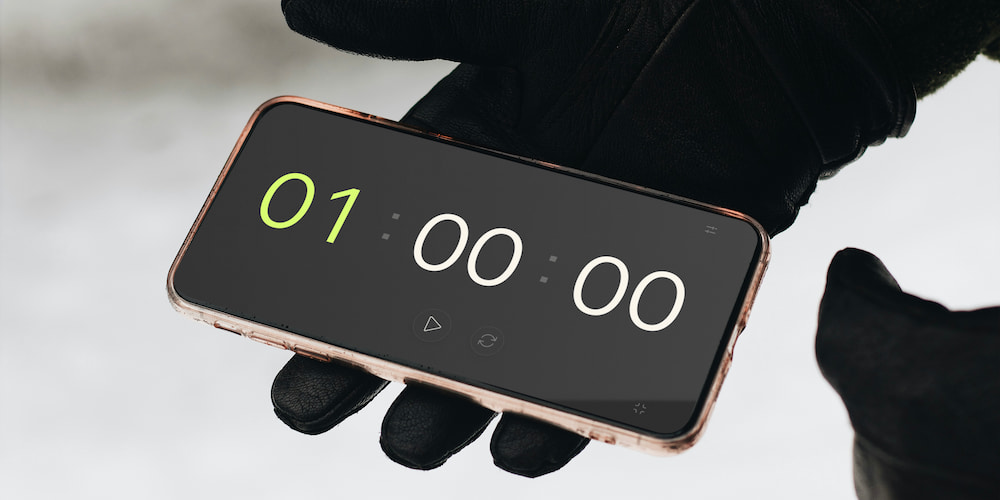
Our free 60-minute online timer is equipped with a variety of features that make it a versatile and indispensable tool for time management. These functionalities cater to diverse needs, whether for professional, educational, or personal use. Let's delve into the key features that enhance the usability of this timer.
- Sound alerts:
The online timer includes customizable sound alerts that can be toggled on or off according to your preferences. You can also choose from a variety of sounds for the alert. This feature is particularly useful in noisy environments or when you need a strong auditory signal to mark the end of a session.
- Interface-based settings adjustment:
You can adjust the countdown settings directly on the page interface, not just within a separate settings menu. This allows for swift and convenient changes to the timer’s duration as needed, saving time and adding flexibility to your task management.
- Full-screen mode:
The full-screen feature is ideal for situations where visibility from a distance is necessary, such as during presentations, cooking, or exercise sessions. It maximizes the display of the timer, removing all other interface distractions, ensuring focus and clarity during its use.
Frequently asked questions
This section addresses some frequently asked questions about the 60-minute online timer, covering its versatility and functionality to enhance your productivity and time management.
What are the various uses of a 60-minute timer?
The 60-minute timer is ideal for managing work tasks, conducting focused study sessions, timing exercises, facilitating efficient meetings, and scheduling breaks. It helps in structuring time to enhance productivity and focus.
How can I enable or disable the sound alerts on the timer?
Sound alerts on the timer can be toggled within the settings. You can choose to activate or deactivate them based on your needs and personal preference.
Is the timer suitable for educational purposes?
Yes, the timer is perfect for educational activities, providing a structured time frame for studying or teaching, which aids in maintaining concentration and effective learning.
How does the timer help in fighting procrastination?
By setting a defined period to focus on a task, the timer creates a deadline that can help minimize procrastination, making it easier to start and complete tasks more efficiently.
What benefits does the full-screen mode offer during presentations?
Full-screen mode increases the visibility of the timer during presentations or speeches, helping speakers manage their allocated time more effectively and keep audiences engaged.
How can the timer be utilized for teamwork?
The timer can be set to manage and allocate specific time slots for teamwork activities, improving focus and productivity during collaborative tasks.