


Why use a 3-hour online timer?

In today's fast-paced world, effective time management is essential for achieving your goals. One of the simplest yet most effective tools for managing your time is an online timer. A 3-hour timer with an audible signal stands out for its simplicity, convenience, and modern design. Let's explore various scenarios where such a timer can be incredibly useful.
Working to another length? Open the 2-hour timer or the 4-hour timer instead.
- Hiking and Tourism
- Working Sessions
- Household Chores and Organization
- Rest and Recovery
- Study Sessions
Time management is crucial during hikes and mountain tours. A 3-hour timer helps plan your daily route by indicating how much time you need to walk before the next rest point. This enhances both safety and efficiency in your journey.
Dividing your workday into 3-hour intervals helps maintain productivity and avoid burnout. For instance, working for three hours followed by a break allows you to focus on tasks without getting distracted, thus effectively managing your time.
You can organize household chores using a timer. For example, setting aside three hours for gardening or home repairs can significantly boost your productivity and organization.
A 3-hour daytime rest can help you recharge and improve concentration. By setting a timer, you can plan your rest period without the risk of oversleeping, maintaining a balance between work and rest.
Using a 3-hour timer for study sessions allows for focused and uninterrupted learning periods. This method can help students and professionals alike in absorbing and retaining information more effectively.
Free online timer for 3 hours with an audible signal is a versatile tool that can be beneficial in various situations. It helps you manage your time, increase productivity, and improve your quality of life.
Maximizing the benefits of a free 3-hour online timer with a beep
An online timer can significantly boost your productivity and organization when used wisely. It’s not just about setting the timer, but also about planning your time effectively to achieve the best results. Here are some tips on how to use a 3-hour timer to its full potential.
First, break down large tasks into smaller, manageable steps. For example, if you are working on a major project, divide it into several distinct segments. Dedicate each segment to a specific part of the project, taking short breaks in between. This approach helps maintain focus and prevents burnout, making it easier to stay on track and achieve your goals.
Second, use the timer to schedule regular breaks. Research has shown that taking short, frequent breaks improves concentration and productivity. During a three-hour period, plan to take brief breaks every 45-60 minutes. These breaks will help you refresh and reduce the strain of prolonged work, ensuring that you remain productive throughout the session.
Additionally, don’t underestimate the importance of reflecting on your work once the timer goes off. Use the final minutes to review what you’ve accomplished and plan your next steps. This practice helps you stay organized and enhances your ability to self-regulate and maintain discipline. By consistently evaluating your progress, you can make adjustments and improve your efficiency over time.

Fact
Using a timer can help improve time management skills, which are crucial for achieving goals and maintaining productivity.
Effective tips and recommendations
Using an online timer can greatly enhance your productivity and organization. Here are several practical tips and recommendations to help you use the timer effectively in your daily life.
- Overcome procrastination.
- Use the timer for physical workouts.
- Plan rest periods.
- Apply the timer in travel.
- Reduce stress levels.
- Enhance motivation through gamification.
- Overcome the fear of imperfection.
Procrastination is often linked to fears of failure or success. A timer helps set a clear deadline and initiates action. Setting a timer for three hours and starting the task can reduce anxiety and increase motivation. The countdown provides a sense of urgency, encouraging you to begin and continue working.
Timers are useful not only for work but also for exercise. For example, a three-hour bike ride can be structured using a timer to alternate between intense riding and rest periods. This helps maintain an optimal level of exertion and improves endurance.
Using a timer to schedule daytime rest can help you recharge and improve concentration. Setting a timer for three hours for a nap or a relaxing activity ensures you don't oversleep and maintain a balance between work and rest, boosting overall productivity.
During hikes or travel, a timer helps keep track of time and prevent exhaustion. Setting a timer for three hours helps you plan breaks and assess the distance covered, effectively managing your time and energy.
Regular intervals of work and rest, organized with the help of a timer, can significantly reduce stress levels. This method ensures that you are taking necessary breaks to refresh, reducing the risk of burnout and improving mental health.
Using a timer can add an element of play and motivation to your tasks. The countdown creates a game-like scenario, pushing you to complete tasks within the set time, making work more engaging and enjoyable.
The fear of not being perfect often hinders progress. A timer helps mitigate this fear by establishing a fixed time frame for action, encouraging you to start and continue working without getting stuck in the pursuit of perfection.
Features of a free 3-hour online timer
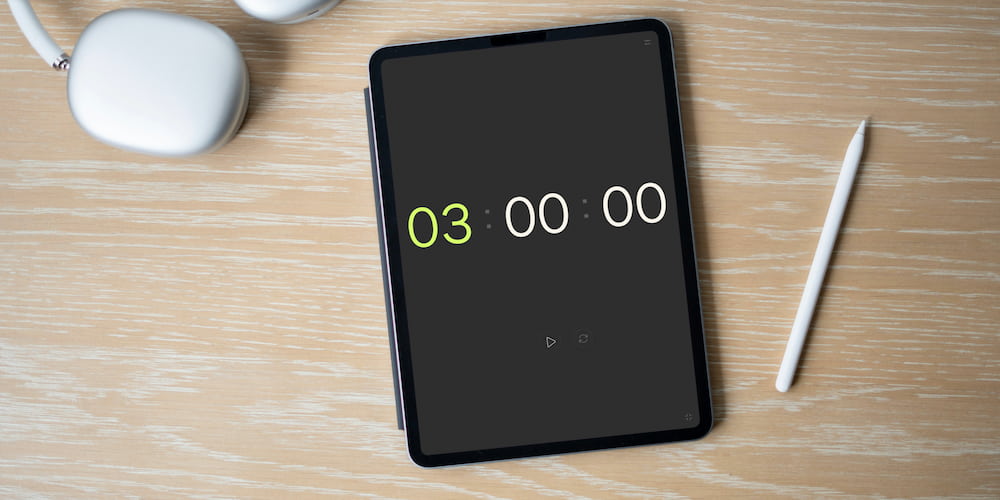
The free 3-hour online timer offers a variety of features that make it convenient and useful for various tasks. Below are the key features of this timer that can help you effectively use it in your daily life.
- Beep (turn on/off/select sound):
- Setting values directly in the interface:
- Flexible time display:
- Full-screen mode:
- Accessibility on various devices:
The timer is equipped with sound notifications that can be turned on or off as desired. You can also choose the type of sound that will accompany the end of the countdown. This allows you to customize the timer according to your preferences and usage conditions.
You can change the timer settings not only through the menu but also directly on the page interface. This makes the adjustment process more convenient and quicker, saving you time.
The timer settings include the ability to hide the display of hours and minutes. This allows the timer to be used for more specific and shorter intervals, making the interface more minimalist and user-friendly.
The full-screen feature is perfect for presentations, reports, and speeches. The full-screen mode helps you focus on the time without being distracted by other interface elements, making it visually more pleasant.
The online timer is available on computers, tablets, and smartphones. This allows you to use it anytime and anywhere, providing maximum flexibility and convenience for different needs.
Frequently asked questions
Here we answer some common questions about the functionality and benefits of using a 3-hour online timer.
What are the advantages of using a 3-hour online timer?
A 3-hour online timer helps structure your time, improves concentration, and reduces stress. It allows for effective task management by alternating periods of work and rest.
What sound notifications are available on the timer?
The online timer offers various sound notifications that can be customized to your preference. You can choose the appropriate sound depending on your environment.
How does the timer assist in hiking trips?
In hiking trips, a timer helps maintain a schedule. Setting the timer ensures timely breaks and allows you to gauge the distance covered, enhancing safety and efficiency.
Why is a timer useful for combating procrastination?
A timer sets clear time frames for tasks, reducing anxiety and increasing motivation. It helps overcome the resistance to starting work and boosts productivity.
What customization options does the timer interface offer?
The timer interface allows you to set values directly on the page, making it easy to adjust settings quickly. This convenience saves time and enhances usability.
Is the timer accessible on different devices?
Yes, the online timer is accessible on computers, tablets, and smartphones, providing maximum flexibility and convenience for various needs.
How does the full-screen feature benefit presentations?
The full-screen feature is ideal for presentations, reports, and speeches, helping you focus on the time without distractions from other interface elements.