


Why use a free online timer for 4 hours with a beep?
An online timer set for 4 hours with an alarm sound is a versatile and beneficial tool for various activities. Its simplicity, convenience, and modern appearance make it ideal for managing time effectively. Let's explore several specific scenarios where using this timer can be particularly useful.
Other handy presets nearby: the 3-hour timer and the 5-hour timer.

- Culinary experiments
- Work tasks
- Extended walks or hikes
- Creative projects
- Recovery and rest
Cooking complex dishes that require a long time becomes simpler with an online timer. While your dish is cooking, you can attend to other tasks, confident that you won't miss the crucial moment to check or remove it from the stove. This adds convenience and reduces the stress of multi-tasking in the kitchen.
An online timer set for 4 hours can help break the workday into clear intervals, allowing you to focus on specific tasks and take breaks to rest. This approach enhances productivity and prevents burnout, making it easier to tackle long-term projects and maintain high efficiency throughout the day.
Outdoor enthusiasts can use the timer to manage their time during long walks or hikes. By setting a 4-hour timer, you can stick to a schedule, ensure you cover the intended distance, and avoid spending too much time in one spot. This is especially useful for planning rest stops and meal breaks.
Artists, writers, and other creative individuals can use the timer to organize their work sessions. A clearly defined time limit helps maintain focus and ensures that each project stage is completed on time. This method also introduces a sense of urgency, which can boost creativity and productivity.
Regular breaks and rest are vital for maintaining health and productivity. A 4-hour timer can remind you to take breaks, relax, or engage in enjoyable activities to recharge.
How to get the most out of using a free online timer?
A 4-hour online timer with an alarm is a versatile tool that aids in effective time management and achieving set goals.
Using a long-duration timer is ideal for tackling large tasks. It helps maintain focus on important projects without the constant distraction of checking the clock. You can immerse yourself fully in your work, knowing you have a well-defined period to complete it. This is especially useful for complex projects or scientific research, where deep concentration is required.
One of the key benefits of using a timer is the improvement in time management skills. By setting the timer, you learn to better allocate your time, plan tasks, and meet deadlines. This practice helps avoid procrastination and makes more efficient use of your working hours. Additionally, the timer encourages breaking down tasks into simpler, manageable parts. Tackling these smaller tasks one at a time can lead to a sense of accomplishment and motivate you to continue progressing.
Another advantage is the ability to schedule breaks. During extended work periods, it's crucial to take breaks to rejuvenate and prevent burnout. The timer will remind you to pause and rest, which helps maintain a high level of productivity throughout the day. Learning to be motivated by small results, such as completing a segment of a larger project within the set time, can significantly enhance overall performance and satisfaction.

Fact
If you work an extra 25 minutes every day, you will accumulate more than 152 additional hours in a year. That's nearly 19 full eight-hour workdays!
Tips and recommendations
A 4-hour online timer with an alarm is a powerful tool for enhancing productivity and time management. Below are several valuable tips and recommendations to maximize its benefits.
- Plan large projects.
- Utilize the timer for studying.
- Schedule long walks or workouts.
- Organize team work.
- Motivate yourself with a timer.
For tackling complex and long-term tasks, use a 4-hour timer. It helps you focus on the project without distractions. Divide this time into smaller intervals with short breaks to maintain concentration. This method is especially effective for in-depth research or creative projects.
Four hours is an ideal duration for deep learning of complex subjects. Break the time into 90-minute blocks with short breaks in between. This approach enhances material retention and prevents fatigue, making it easier to manage extensive study sessions.
A 4-hour timer is perfect for extended physical activities, such as hiking or cycling. It helps you manage your time and adhere to your training schedule, preventing overexertion and ensuring a balanced workout routine.
Use a timer to define work and break periods for team projects. This helps the team stay focused and synchronize efforts towards achieving a common goal. It also ensures that everyone gets necessary breaks, maintaining high productivity levels.
Using a timer adds an element of game and competition. Set a goal to complete a certain amount of work within the allotted time. This technique helps maintain motivation and makes the process more engaging and enjoyable.
The features of a free online timer for 4 hours
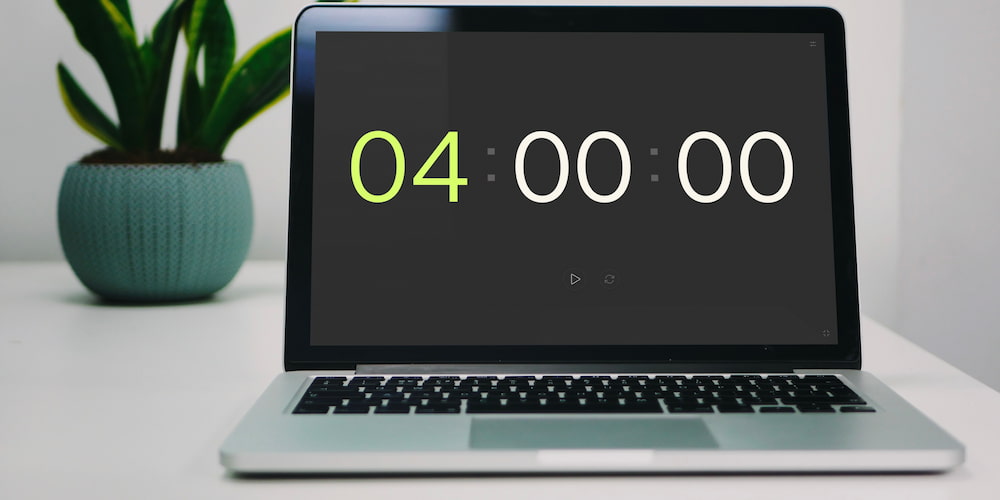
Our free online timer for 4 hours comes packed with numerous features that make it a convenient and flexible tool for various tasks. Let's explore the key functionalities of this timer that help you manage your time effectively.
- Beep:
- Setting values directly on the page:
- Full-screen mode:
- Intuitive interface:
The online timer includes a customizable beep sound. You can turn the sound on or off and select your preferred melody to alert you when the time is up. This is particularly useful in both noisy and quiet environments, ensuring you never miss an alert.
For your convenience, the timer settings can be adjusted not only through a special menu but also directly within the interface on the page. This allows for quick and easy time adjustments without distracting you from your main task. You can set the required hours, minutes, and seconds with just a few clicks.
The timer can be expanded to full-screen mode, making it an excellent tool for presentations, reports, and speeches. In full-screen mode, all additional interface elements are hidden, creating a more aesthetically pleasing and distraction-free experience.
The timer's interface is designed for simplicity and ease of use. All control elements are logically placed and intuitive, allowing you to quickly familiarize yourself with the functionalities and use the timer without needing to study complicated instructions.
Common questions
Here you will find answers to the most common questions about our 4-hour online timer.
How do I set the timer for 4 hours?
To set the timer for 4 hours, simply enter the desired value in the appropriate fields on the page and press the start button. The timer will begin counting down and alert you with a beep when the time is up.
Can I change the alarm sound?
Yes, you can select from several alarm melodies in the timer settings. This allows you to customize notifications according to your preferences and work environment.
Can the timer help with procrastination?
Yes, by setting a timer, you create clear time limits that help you start working and stay focused on the task, overcoming procrastination.
Is there a full-screen mode available?
Yes, the timer can be expanded to full-screen mode, making it an excellent tool for presentations, reports, and public speeches.
Can the timer be used for creative projects?
Yes, the timer helps you concentrate on creative projects such as drawing or writing, allowing you to fully immerse yourself in the process and achieve significant results.
Can I set the timer values directly on the page?
Yes, for your convenience, you can adjust the timer settings directly on the page interface, allowing for quick and easy time adjustments.