


The benefits of using a 20-minute timer

Online timers are becoming increasingly popular due to their simplicity and convenience. A free online timer for 20 minutes with a beep is a versatile tool that can help you manage your time effectively. Whether for work or personal use, this timer can help organize your time and boost productivity. Here are several examples of how a 20-minute timer can be used.
Working to another length? Open the 15-minute timer or the 25-minute timer instead.
- Presentations and speeches
- Starting a task
- Short nap
- Physical activity
- Meditation and relaxation
Preparing and delivering a 20-minute presentation allows you to effectively communicate key points to your audience. This time frame helps structure the material and keep the audience engaged.
When it's difficult to get started on a task, a 20-minute timer can be a great motivator. Simply set the timer for 20 minutes and begin working. This method helps overcome procrastination and focus on the task. Even if 20 minutes aren't enough to complete the work, they can help you get moving.
A 20-minute nap can help restore energy and improve concentration. Research shows that such a short rest can significantly enhance productivity and well-being. Set the timer for 20 minutes and allow yourself a brief rest.
A 20-minute workout or run can significantly improve your well-being and energize you for the rest of the day. Use the timer to control the duration of your workout and avoid overexertion.
Twenty minutes of meditation or relaxation can significantly reduce stress and improve concentration. Set the timer and dedicate this time to your emotional and psychological health.
Thus, a free online timer for 20 minutes with a beep is a versatile tool for various aspects of life. Use this simple and convenient tool to achieve your goals.
How to use the timer for 20 minutes with maximum benefit
Online timers are not just convenient tools for counting down time; they are also powerful means to boost productivity. Using a 20-minute timer can help you organize your tasks more efficiently and achieve better results. It's important to know how to use the timer correctly to get the most benefit from it.
Try breaking down large tasks into smaller, manageable pieces. This approach makes the work less daunting and more achievable. Set the timer for 20 minutes and focus on one specific task. When the timer rings, you'll feel a sense of accomplishment and can move on to the next task.
When you start using the timer regularly, learn to motivate yourself with small achievements. Setting small goals and accomplishing them within 20 minutes helps maintain motivation and boosts self-esteem. For example, you can use the timer to study a language, completing one or two exercises during this period.
Additionally, the online timer can be used to complete various micro-tasks throughout the day. For instance, dedicate 20 minutes to tidying up your workspace, writing emails, or planning upcoming events. This will help you avoid feeling overwhelmed and keep your affairs in order.

Fact
Research shows that using the "20-20-20" rule (every 20 minutes, look at something 20 feet away for 20 seconds) can significantly reduce eye strain and improve overall productivity. This is especially useful for prolonged computer work.
The functionality of a free online timer for 20 minutes
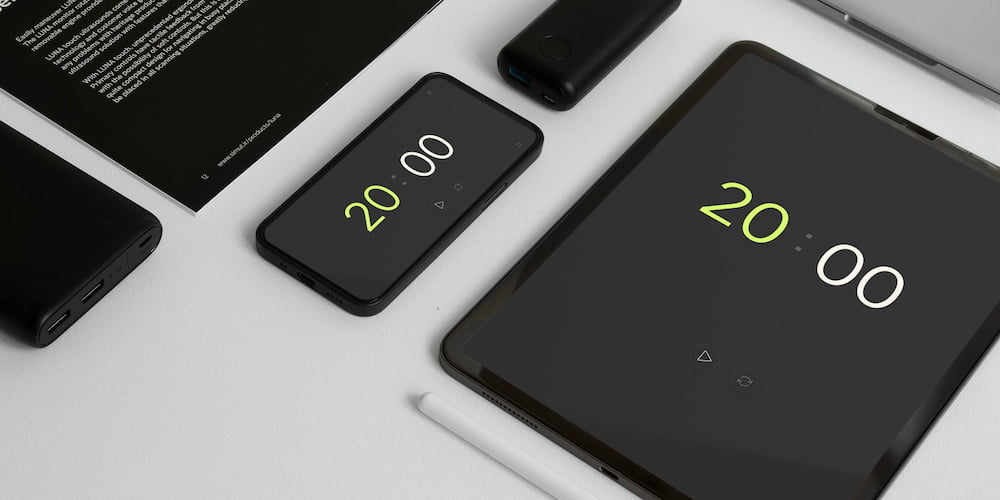
Our free online timer for 20 minutes offers a wide range of features and is easy to use. It provides numerous customization options to suit various tasks. Below, we will explore the key functions of our timer.
- Beep:
- Setting values directly in the interface:
- Extended functionality with clock display:
- Full-screen mode:
The timer is equipped with a beep that can be turned on or off according to your preferences. You can also select the sound from several available options, allowing you to tailor the timer to your specific needs at any given moment.
Our timer allows you to set time values not only within the settings but also directly in the interface on the page. This makes the process of adjusting the timer quick and convenient, especially if you need to change the countdown time on the fly.
If you need to set a longer interval than 20 minutes, the timer provides the option to display hours in the interface. This extends the functionality of the timer and allows it to be used for longer tasks.
The full-screen feature is ideal for many situations, such as presentations, training sessions, or cooking. In this mode, the timer becomes more visible, allowing you to easily track the remaining time without being distracted by other interface elements.
Frequently asked questions about the 20-minute timer
In this section, we will answer the most common questions about our free online 20-minute timer. You'll learn how to use the timer for various tasks and get helpful tips for its effective application.
How does the timer help improve concentration?
Using 20-minute work intervals helps to better focus on the current task by eliminating distractions. This is particularly useful for completing complex or unpleasant tasks that are easier to tackle in short time spans.
Why is a 20-minute timer effective for workouts?
Short, intense workouts of 20 minutes can significantly improve fitness and health. For instance, HIIT (high-intensity interval training) often includes 20-minute sessions that are effective for burning calories and building muscle.
How does the timer help combat procrastination?
Procrastination is often caused by fear of failure or feeling overwhelmed. Setting a timer for 20 minutes helps overcome this fear by creating a sense of urgency and allowing you to start working without excessive pressure.
How can the timer improve sleep quality?
A 20-minute nap can help restore energy and improve concentration. This is especially beneficial in the middle of the day when energy levels drop.
Why is it important to take breaks every 20 minutes, especially when working at a computer?
Regular breaks help prevent fatigue and improve overall well-being. Short breaks every 20 minutes can reduce eye strain and enhance productivity.
What are some creative uses for a 20-minute timer?
You can use a 20-minute timer for creative activities like brainstorming, drawing, or writing. Setting a timer can help you stay focused and productive during these sessions.
How does the beep function work?
The timer includes a beep function that can be turned on or off according to your preferences. You can also select from various beep sounds to customize your experience.
Is the timer suitable for classroom use?
Yes, the timer is perfect for classroom settings as it helps manage time for different activities, ensuring that each session is productive and well-timed.
Can the timer be used for presentations?
Absolutely, the timer's full-screen mode makes it ideal for presentations, allowing you to keep track of time easily without getting distracted by other interface elements.