


Utilizing a free online 10-minute timer with a beep
Modern time management techniques recommend using short timers to boost productivity and enhance focus. One of the simplest and most effective tools is a free online 10-minute timer with a beep. In this article, we will explore how you can use this timer in your daily life and work.
You might also want the 9-minute timer or the 12-minute timer.
Benefits of using a 10-minute online timer
- Effective workouts.
- Increased productivity for task completion.
- Short breaks and meditation.
- Quick cleaning and household chores.
- Preparing and delivering presentations.
- Speed painting and creative activities.
A quick run or exercise session for 10 minutes can energize you for the entire day. This is a great solution for those who cannot dedicate time to a full workout but still want to maintain physical fitness.
When a task seems overwhelming, starting it can be easier by setting a timer for 10 minutes. This method helps to overcome procrastination and makes beginning the task less daunting. Significant progress can be made in short sessions, especially when tasks are broken into smaller parts.
A 10-minute break, meditation, or even a nap can greatly improve concentration and restore energy. Short breaks help reduce stress levels and increase overall work efficiency throughout the day.
Using a 10-minute timer for cleaning helps quickly organize and tackle household duties. Even short efforts can lead to noticeable results.
A concise yet informative 10-minute presentation allows you to convey key points to your audience, helping to eliminate unnecessary details. This is especially useful in business meetings and educational events.
Artists can use the timer for speed painting in a museum or outdoors. The limited time stimulates creativity and helps create expressive works quickly.
What sets our timer apart?
Our free online 10-minute timer with a beep is characterized by simplicity, convenience, and modern design. It is perfectly suited for use on both large screens and mobile devices. Try our timer and see how easily it can improve your productivity and organize your day.
Maximizing the benefits of a 10-minute timer
Effective time management can significantly boost your productivity and reduce stress levels. A 10-minute online timer is an excellent tool for those who want to better organize their tasks and achieve noticeable results in short periods.
To make the most out of a 10-minute timer, start by breaking down large tasks into simpler, more manageable parts. This approach not only makes it easier to begin working but also allows you to see tangible progress, which can be highly motivating. By focusing on smaller tasks, you can build momentum and maintain motivation as you complete each segment.
Use the timer for various activities, whether it's studying, working, or daily chores. For instance, allocate 10 minutes for reviewing language exercises, doing household tasks, or performing a quick workout. This helps keep your mind and body fresh, maintaining a balance between mental and physical activities.
Periodically switch activities throughout the day using the timer. This helps avoid monotony and keeps your energy levels high. For example, after 10 minutes of focused work, take a 10-minute break to do some physical exercises or take a short walk. This variety can prevent fatigue and enhance overall productivity.

Fact
10 minutes of intensive physical activity can increase endorphin levels in the body, leading to improved mood and overall well-being.
Features of a free online 10-minute timer
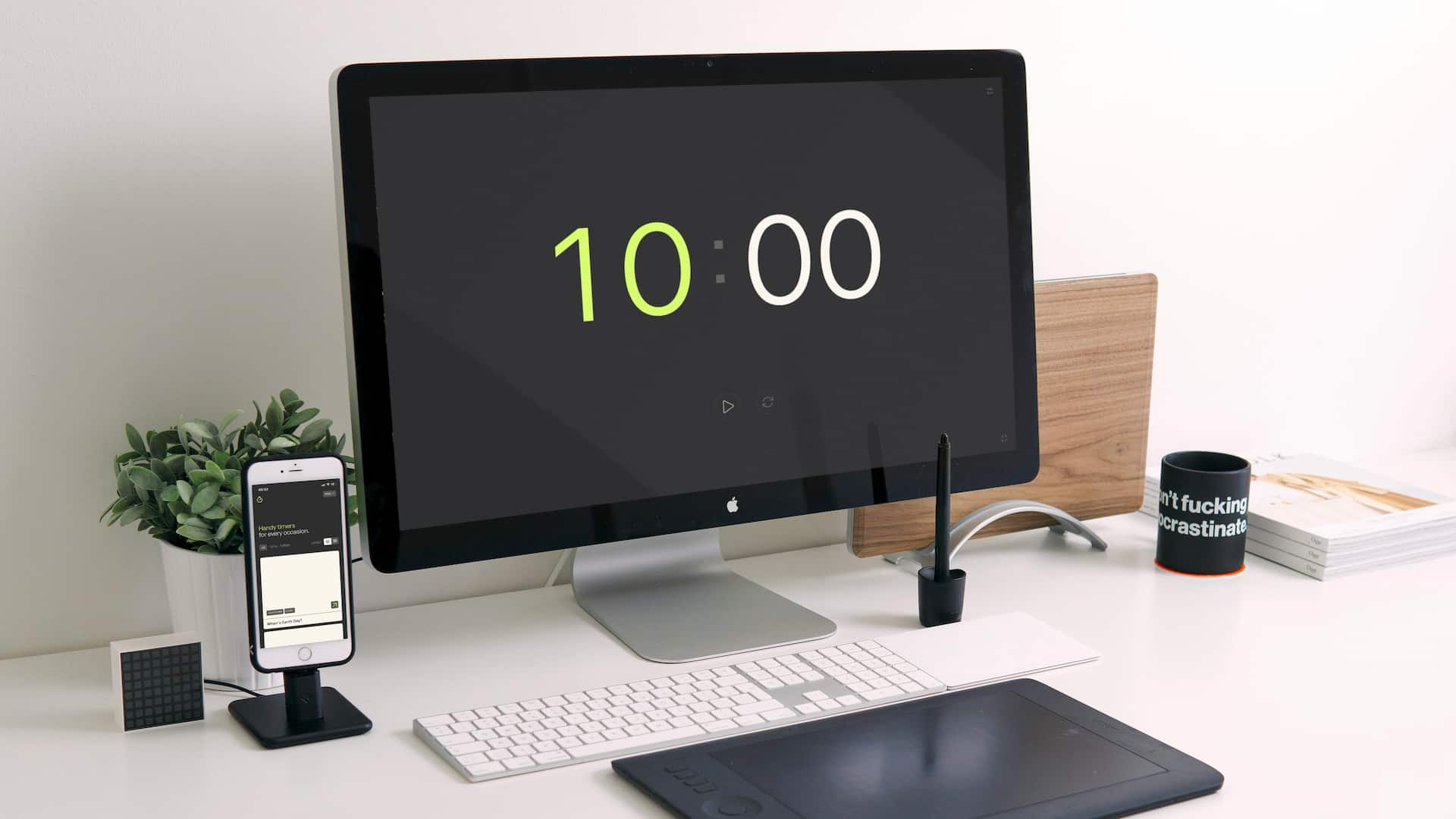
Our free online 10-minute timer offers a range of features that make it a convenient and effective tool for time management. These features will help you organize your tasks and increase productivity.
- Beep sound:
- Setting values in the interface:
- Enabling clock display:
- Full-screen feature:
The timer allows you to turn the beep sound on or off and select from various sounds according to your preference. This is particularly useful for different environments, whether a quiet office or a noisy street.
You can change the timer values not only through the settings but also directly in the interface on the page. This allows for quick and convenient adjustments without needing to navigate to a separate settings menu.
If 10 minutes is not sufficient for your task, you can enable the clock display in the timer interface. This extends the functionality of the timer, making it suitable for longer sessions and tasks that require more time.
Our timer supports a full-screen mode, which is especially useful for presentations, reports, and speeches. This makes it easy to see the remaining time even from a distance and maintain control over the duration of the event.
Frequently asked questions about the 10-minute timer
In this section, we have compiled answers to the most frequently asked questions about the free online 10-minute timer. These questions will help you better understand the timer's functionality and its use in various situations.
Can the timer be set for more or less than 10 minutes?
Yes, our timer allows you to set any time value according to your preference. Click the settings button to adjust the desired time, enable hours if needed, or disable everything but the seconds.
What are some ideal uses for a 10-minute timer?
The timer is perfect for managing work tasks, study sessions, short workouts, meditation, and household chores. It helps structure activities into productive intervals.
Does the timer work without an internet connection?
No, our online timer requires an internet connection to function correctly and to access its full range of features.
Can the timer be displayed on a large screen?
Yes, the timer supports a full-screen mode, making it convenient for use on large screens during presentations, reports, or speeches.
What sound options are available for the timer?
In the timer settings, you can choose from several sound options or turn off the sound if necessary.
Can I use the timer for classroom activities?
Absolutely, the timer is perfect for classroom activities, helping to keep track of time during lessons, tests, or breaks, ensuring a well-organized schedule.
How does using a timer improve productivity?
Using a timer helps you break tasks into manageable intervals, reducing procrastination and enhancing focus. It makes starting tasks easier and helps maintain momentum through short, focused sessions.
What is the best way to use a 10-minute timer for meditation?
Set the timer for 10 minutes, find a quiet space, and focus on your breathing or a specific meditation technique. The beep sound will signal the end of the session, helping you stay on track and make the most of your meditation time.