


How to use an online 12-minute timer to boost productivity
A free online 12-minute timer with a convenient interface and a beep sound is the perfect tool for time management and productivity enhancement. In this article, we will explore several situations where a 12-minute timer can become your indispensable assistant.
If this isn't quite the length you need, the 10-minute timer and 15-minute timer are close by.

- Physical activity
- Managing work tasks
- Overcoming procrastination
- Short naps or meditation
- Creative activities
- Household chores
A 12-minute timer can be used to schedule quick exercise breaks. Short bursts of physical activity can boost your energy levels, reduce stress, and improve your overall health. This is particularly useful for those with sedentary jobs or study schedules.
Dividing work into short 12-minute sessions helps use time efficiently and reduce the feeling of overload. For example, the Pomodoro Technique is based on such intervals, allowing you to maintain a high level of concentration and avoid fatigue.
When it is difficult to start a task, set a timer for 12 minutes. This method helps focus on starting work as the limited time creates a sense of an approaching deadline, stimulating action.
Short naps can significantly improve concentration and restore energy, while brief meditation can reduce stress and improve overall well-being.
Artists and designers can use a 12-minute timer for creating quick sketches or speed paintings. This method helps develop fast drawing skills and enhances creative thinking.
Divide cleaning or other household tasks into 12-minute sessions. This approach allows you to accomplish more in a short time, keeping you motivated and avoiding fatigue.
Using a 12-minute timer is a simple and effective way to boost productivity, improve concentration, and organize your time. Try it yourself and see its benefits!
Maximizing the benefits of a 12-minute timer
To get the most out of a 12-minute timer, it's important to use it strategically. This means not only setting the timer but also understanding how to structure your tasks and stay motivated throughout the process. Here are some tips to help you maximize the benefits of your 12-minute timer.
First, break down larger tasks into smaller, more manageable pieces. By doing this, you can focus on completing one small task at a time within the 12-minute interval. This method helps prevent feelings of overwhelm and makes even the most daunting projects seem achievable. For example, instead of trying to write an entire report in one sitting, you can use the timer to write just the introduction or a single section.
Second, use the timer to develop a habit of consistent progress. Completing tasks within a set time frame can provide a sense of accomplishment and motivate you to continue working. This approach helps build momentum, as you see tangible progress after each 12-minute session. Additionally, the satisfaction of completing small tasks can keep you motivated and focused on your larger goals.
Finally, ensure accurate results by fully committing to the 12-minute sessions. Avoid distractions and concentrate solely on the task at hand. This level of focus will not only improve the quality of your work but also enhance your ability to manage time effectively. Over time, using a 12-minute timer can help you develop better time management skills and increase your overall productivity.
Fact
A 12-minute session of high-intensity physical activity can significantly increase the level of endorphins in the body, improving mood and overall well-being.
Effective strategies for combating procrastination
Procrastination is a common issue that many people face, often leading to stress and decreased productivity. It can be caused by various factors such as fear of criticism, loss of interest, or even the desire for an adrenaline rush before a deadline. Here are some interesting facts about procrastination and effective strategies to combat it using a 12-minute timer.
- Fear of failure
- Loss of interest in the task
- Lack of immediate reward
- Inability to plan
- Mismatch between task and desires
- Improved concentration
- Element of play and motivation
- Continuous cognitive training
Many people delay tasks due to a fear of failure. Using a 12-minute timer can help overcome this fear by creating a safe and limited time frame to work on the task. This reduces pressure and makes the task feel more achievable.
When a task seems boring or too long, breaking it into 12-minute sessions can make it more manageable and engaging. This approach helps maintain interest and motivation to complete the task.
If a task doesn't provide instant gratification, it's often postponed. Setting a 12-minute timer creates short-term goals and rewards, motivating you to continue working and eventually complete the task.
Some people procrastinate due to poor planning skills. A 12-minute timer helps structure tasks and provides clear time frames, making it easier to plan and execute work efficiently.
When a task doesn't align with your interests, internal resistance can occur. Dividing the task into short intervals makes it more palatable and helps overcome internal protests.
Short-term intervals of 12 minutes help enhance focus on the current task, reducing feelings of overload and increasing productivity.
Working with a timer adds a playful element and boosts motivation, making task completion more enjoyable and less burdensome.
Regular use of short timers improves cognitive abilities, helps better manage time, and enhances task management skills.
Implementing these strategies can help you effectively combat procrastination, improve your productivity, and achieve your goals using a 12-minute timer.
Exploring the functionality of a 12-minute online timer
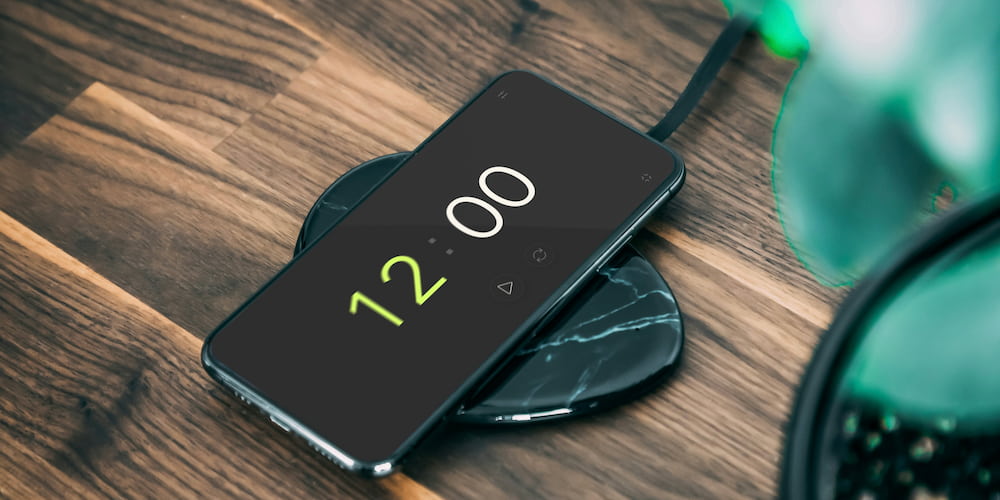
Our free online 12-minute timer offers numerous useful features that make it a convenient and versatile tool for various tasks. Here are some key functions that enhance its usability and effectiveness.
- Beep sound:
- Setting values directly in the interface:
- Clock display option:
- Full-screen feature:
- Intuitive interface:
- Device compatibility:
The timer is equipped with a beep sound that can be turned on or off as needed. Additionally, it offers the option to select different sounds, allowing you to choose the most pleasant or appropriate notification for your needs.
You can set the timer values not only within the settings but also directly in the interface on the page. This allows for quick and convenient time adjustments without having to navigate through additional menu.
If 12 minutes is not enough, you can enable the clock display in the timer interface, thereby expanding its functionality. This is particularly useful for tasks that require longer time frames.
The timer supports a full-screen mode, which is ideal for presentations, reports, and speeches. This mode ensures maximum visibility and convenience when using the timer in front of an audience.
The timer features a simple and modern design that is easy to understand and use. All control elements are logically and conveniently placed, allowing you to focus on your tasks rather than on setting up the timer.
Our timer works across various devices, including computers, tablets, and smartphones. This flexibility ensures that you always have a reliable time management tool at hand, no matter what device you are using.
Common questions
Below are some popular questions and answers about the 12 minute timer.
How can a 12-minute timer help with procrastination?
A 12-minute timer helps by breaking tasks into manageable intervals, reducing the fear of failure, and creating a sense of urgency that motivates action.
Can I use a 12-minute timer for studying?
Yes, using a 12-minute timer for studying helps improve focus and concentration by creating short, dedicated study sessions with breaks in between.
Is the 12-minute timer suitable for exercise?
Absolutely, a 12-minute timer is great for high-intensity interval training (HIIT) or quick exercise routines, providing a structured time frame for physical activity.
Can I customize the sound on the 12-minute timer?
Yes, the timer allows you to turn the beep sound on or off and select different sounds to suit your preferences.
How does the full-screen feature work?
The full-screen feature expands the timer display, making it ideal for presentations, reports, and speeches where visibility is crucial.
Can I use the 12-minute timer on different devices?
Yes, our 12-minute timer is compatible with various devices, including computers, tablets, and smartphones, ensuring flexibility and convenience.
What are the benefits of using short timers like the 12-minute timer?
Using short timers can improve cognitive functions, enhance productivity, reduce stress, and make tasks feel more manageable and less overwhelming.
Can I adjust the timer settings directly on the page?
Yes, you can set the timer values directly in the interface on the page, allowing for quick and convenient time adjustments.