


Why use a 15-minute timer?

Modern online timers have become indispensable tools for increasing efficiency and managing time. Particularly useful are 15-minute timers, which help you focus on tasks, improve productivity, and avoid procrastination. Let's explore how you can use such a timer in various life situations.
Prefer a different countdown? Check the 12-minute timer or the 20-minute timer.
- Quick run
- Power nap
- Meditation and relaxation
- Household chores
- Short presentations
Fifteen minutes of intense physical activity, such as a quick run, can significantly improve your well-being. Even a short run will energize you for the entire day and increase your endorphin levels, enhancing your mood and overall well-being.
The 15-minute timer is perfect for a short nap, known as a "power nap." This brief rest helps restore energy and improve concentration, making it especially useful during a busy workday or before an important meeting.
Meditation and relaxation for 15 minutes reduce stress and improve focus. Using a timer helps you manage your time effectively and establish a regular meditation practice, leading to better overall health.
Many household chores, such as cleaning, can be completed in 15 minutes. A timer helps organize your time and makes household duties less burdensome, turning them into a game of speed and productivity with yourself.
Short presentations lasting 15 minutes allow you to quickly and effectively convey key points to your audience. A timer helps control the time and focus on the most important aspects, improving the structure and delivery of your material.
Using a 15-minute online timer with a beep makes completing tasks simpler and more efficient. It adds an element of play, improves concentration, and helps combat procrastination. Try using our free timer to experience its benefits in everyday life.
How to get the most out of a 15-minute online timer
The 15-minute online timer is a powerful tool that helps improve productivity and time management. It is important not only to use the timer but also to know how to do it correctly to achieve the best results. Let's explore some strategies that will help you use the 15-minute timer most effectively.
The first step to using the timer effectively is to break down large tasks into smaller, more manageable parts. When you divide your work into 15-minute intervals, it helps to avoid feeling overwhelmed and makes the task more achievable. For example, instead of writing an entire report at once, break it down into sections and work on each one for 15 minutes.
Motivation plays a key role in achieving goals. Using a timer allows you to see quick results, which encourages you to keep going. Reward yourself with small breaks or enjoyable activities after each 15-minute interval to maintain high motivation levels. This is especially useful for studying languages, doing homework, or exercising.
Fact
According to research, using timers can significantly improve focus and reduce stress levels, which contributes to overall productivity and enhanced cognitive abilities.
Tips and recommendations for using a 15-minute online timer
The 15-minute online timer is an effective tool that can significantly improve productivity and help manage various tasks. It's important not only to set the timer but also to use it wisely. Here are some tips and recommendations, based on scientific research and real-life examples, that will help you get the most out of using a timer.
- Overcoming procrastination
- Increasing motivation through micro-goals
- Short breaks for rest
- Enhancing study efficiency
- Combating the "delayed start" syndrome
- Short-term physical exercises
- Stimulating creativity
- Supporting regular meditation
If you struggle to start working on a task, set the timer for 15 minutes. This method helps overcome the fear of starting and makes it easier to dive into work. Studies show that short time frames reduce anxiety levels and increase motivation.
Break large tasks into micro-goals that can be completed in 15 minutes. This approach helps maintain high levels of motivation as you see quick results from your efforts. For example, instead of writing an entire article, focus on one paragraph or section at a time.
Regular 15-minute breaks during the workday help prevent fatigue and maintain high productivity. Set the timer and take a break to rest, which will positively impact your overall well-being and work efficiency.
Short study sessions lasting 15 minutes, such as reviewing new words or grammar rules, improve retention and assimilation of material. This method is especially useful for language learning or exam preparation.
Many people only start working when the deadline is approaching. Using a 15-minute timer helps create an artificial sense of urgency, stimulating you to begin working well before the actual deadline.
Exercise or a quick walk for 15 minutes improves circulation and increases energy levels. Using a timer to organize such breaks helps make physical activity a regular part of your day.
Use the timer to organize 15-minute sessions of creative work, such as drawing, writing, or brainstorming. Short time frames stimulate creativity and help generate new ideas without fear of criticism.
Meditating for 15 minutes helps reduce stress and improve concentration. The timer ensures regular practice and allows you to allocate time for relaxation even in a busy schedule.
The functionality of a free online timer for 15 minutes
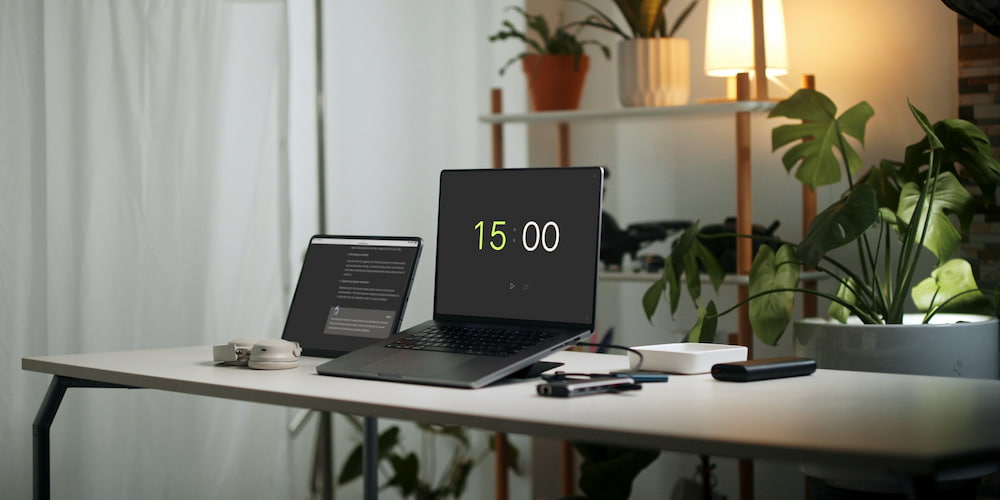
The 15-minute online timer offers a wide range of features for effective time management. This tool stands out for its simplicity and convenience, providing a variety of useful functions that make it versatile and efficient for different tasks. Let's take a closer look at the main functions of the timer.
- Beep:
- Setting values directly in the interface:
- Option to add hours:
- Full-screen feature:
- Intuitive interface:
The timer is equipped with a beep function that can be turned on and off. You can select different sounds for notifications, making the use of the timer more flexible and convenient.
One of the key features of the timer is the ability to set time values not only within the settings but also directly in the interface on the page. This allows for quick and easy time adjustments without distraction from the main activity, significantly enhancing usability.
You can extend the functionality of the timer by turning on the clock in the interface if minute values are not enough. This feature makes the timer suitable for longer periods, up to 99 hours, making it a versatile tool for various scenarios.
The timer supports a full-screen mode, which is perfect for presentations, reports, and speeches. In this mode, the timer is easily visible from a distance, helping to better control time during important events.
The timer boasts an intuitive interface, allowing users to easily and quickly set all necessary parameters. The simplicity and convenience of use are the main advantages of our timers.
Common questions about using a 15-minute online timer
The 15-minute online timer is an effective tool for time management. Here we have gathered answers to the most common questions about its use to help you get the most out of this simple yet powerful tool.
How can I use a 15-minute timer to increase productivity?
Break your work into 15-minute intervals. This approach helps focus on one task at a time and prevents overload, leading to increased productivity.
Can I customize the timer sound?
Yes, you can choose and customize the timer sound to notify you when the time is up. This makes the timer suitable for various situations, including studying and working.
How does the timer help with studying?
Short study sessions of 15 minutes improve focus and retention of material. The timer helps structure the learning process and make it more efficient.
How do I enable the full-screen mode?
You can enable the full-screen mode by clicking the icon in the lower right corner of the timer. This mode is especially useful for presentations and speeches, as the timer is easily visible to all participants.
What other features does the timer have?
The timer allows you to set time values directly in the interface and includes the option to display hours for longer intervals, making it a versatile tool for various tasks.
Why does using a timer help increase motivation?
Seeing quick results from your work boosts motivation. The timer helps achieve micro-goals, which encourages continued effort and improved productivity.
Can the timer be used for exercise?
Yes, a 15-minute timer is perfect for short exercise sessions, such as a quick run or workout. It helps structure physical activity and make it a regular part of your day.
Is it possible to use the timer for meditation?
Absolutely. A 15-minute timer is ideal for meditation sessions, helping to reduce stress and improve concentration by ensuring regular practice.
What are the benefits of taking 15-minute breaks?
Regular 15-minute breaks during the workday help prevent fatigue and maintain high productivity. These breaks positively impact overall well-being and work efficiency.