


Ways to use the 2-minute timer
The simplicity and convenience of the free 2-minute online timer with an audible alarm make it an indispensable tool for solving various tasks. The modern appearance and user-friendly design make it attractive. A 2-minute timer can be incredibly useful for solving short tasks, increasing efficiency, and ensuring accurate timekeeping.
Other handy presets nearby: the 100-second timer and the 3-minute timer.

- Meditation and breathing exercises:
- Mnemonic techniques:
- Concentration training:
- Household chores:
- Games and contests:
- Studying:
Use a 2-minute timer for meditation or breathing exercises. Short, timed sessions can help you relax, relieve stress, and improve your overall well-being.
The 2-minute timer is ideal for practicing mnemonic techniques. By setting short, purposeful intervals, you can improve your memory through repetitions and associative exercises.
Set the timer for 2 minutes to focus better. This method, often used in mindfulness practices, helps train the brain to hold attention for short periods, gradually increasing your ability to concentrate on longer tasks.
A 2-minute timer can make household chores easier. Try to allocate only 2 minutes to clean a small area of the room, and you will be surprised how much you can do in such a short period of time.
Use a 2-minute timer in games and contests to add interest. Whether it's in class, playing at a party, or a family competition, the timer will help get everyone involved and ensure fair play.
For students, a 2-minute timer can be a valuable learning tool. It promotes purposeful, intensive study sessions and helps to break the learning material into understandable segments, which facilitates the assimilation and memorization of information.
How to use the timer as efficiently as possible
To get the best results, start by clearly defining the task you want to complete within 2 minutes. Breaking down large tasks into smaller, easily doable parts will allow you to complete each of them with precision and focus. This approach not only makes the task less difficult, but also gives a pleasant feeling of completion as each stage is completed.
The ability to be motivated by small results is the key to long-term success. When using a 2-minute timer, each completed interval becomes a mini-victory, strengthening positive behavior and increasing your self-confidence. This gradual progress helps you gain momentum and motivates you to continue working towards larger goals.
Another effective strategy is to use a 2-minute timer to overcome procrastination. If you find yourself dodging a certain task, set a timer and devote just 2 minutes to working on it. Often the hardest thing is to get started, and once you get started, it may be easier for you to keep going. This method helps to break the vicious circle of procrastination and forms a habit of immediate action.
Practical tips for using a 2-minute timer
The 2-minute timer is a versatile tool that can be used to solve a wide range of tasks, from increasing concentration and productivity to improving learning and relaxation.
- Overcoming procrastination.
- Microtasking management.
- Performance improvement.
- Quick brainstorming sessions.
Research on procrastination shows that setting a short timer helps overcome initial resistance to completing a task. Get started in just 2 minutes, and once you get started, it will be easier to continue.
Break down large tasks into 2-minute segments to make them more feasible. This approach allows you to perform each part with precision and concentration, creating a pleasant feeling of completion of each stage.
Use a 2-minute timer to quickly solve tasks that you usually avoid. Whether it's answering an email, making a phone call, or cleaning your workspace, you'll be surprised how much you can do in just 2 minutes.
Set a 2-minute timer for quick brainstorming sessions. This helps to quickly generate a stream of ideas, encouraging creative thinking. This is a great way to get started on problem solving or event planning.

Fact
Using a timer can significantly improve productivity by breaking down tasks into manageable intervals, which helps to focus attention at a certain stage of work.
Online timer functions
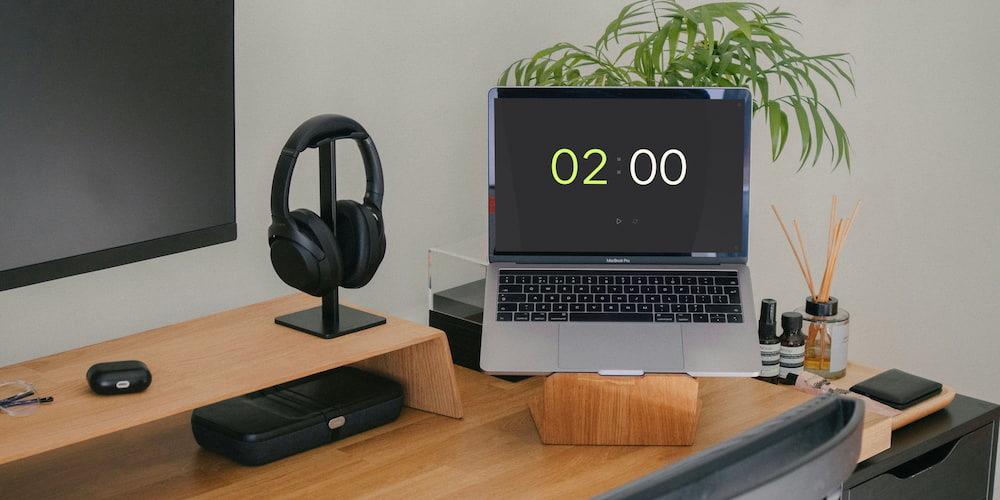
The free online 2-minute timer offers many features that make it an indispensable tool for effective time management. Its modern design and user-friendly interface provide many customization options.
- Customizable audio signals:
- Direct interface settings:
- Full-screen mode:
You can turn the alarm sound on or off according to your preferences. In addition, you have the opportunity to choose different sounds that best suit your needs and conditions.
Timer values can be set not only in the settings menu, but also directly on the interface page. This function allows you to easily and quickly adjust the timer duration.
The full-screen viewing feature improves visibility and focus, making it easier to track the countdown during presentations, classroom activities, or even cooking in the kitchen.
Common questions about the 2-minute timer
Here are some frequently asked questions about using a 2-minute timer, including its features, benefits, and practical applications.
What tasks can a 2-minute timer be used for?
A 2-minute timer can be used for various tasks such as studying, concentration training, household chores, games and competitions, cooking, meditation, and more.
How can a 2-minute timer help with procrastination?
Setting a 2-minute timer helps overcome the initial resistance to starting a task, making it easier to begin and maintain momentum.
Can the alarm sound be customized?
Yes, the alarm sound can be turned on or off, and you can choose different sounds to suit your needs and preferences.
What is the full-screen mode used for?
Full-screen mode improves visibility and time focus, making it easier to keep track of the countdown during presentations, classroom activities, workouts, and more.
Can I use a 2-minute timer for quick brainstorming sessions?
Yes, a 2-minute timer is perfect for quick brainstorming sessions, helping generate a burst of ideas rapidly and encouraging creative thinking.
Is it possible to set a timer for a non-standard time?
Yes, you can set the timer for a certain duration, for example, for 2.5 minutes, by editing the timer values directly in the interface on the main page. If you are facing longer tasks, you can add a clock in the timer settings, thereby significantly expanding the functionality of the timer.