


How a 6-minute timer can improve your productivity

In today's fast-paced world, finding efficient ways to manage our time is crucial. A 6-minute timer, simple yet powerful, can transform how we approach tasks, break down activities, and enhance productivity. This short-duration timer is ideal for various scenarios, offering a structured way to tackle procrastination, improve concentration, and make the most of our limited time. Here are several ways to leverage a 6-minute timer to its fullest potential:
Also popular around this length: the 5-minute timer and the 7-minute timer.
- Enhancing focus through micro-breaks
- Mindfulness and relaxation exercises
- Boosting productivity with short work sessions
- Effective study sessions
- Quick household chores
- Short presentations and meetings
- Physical activity breaks
Regular breaks are essential for maintaining productivity and preventing burnout. Using a 6-minute timer for micro-breaks throughout the workday allows for quick periods of rest and rejuvenation. These short intervals help to clear the mind, reduce stress, and improve overall concentration upon returning to work.
Setting a 6-minute timer for mindfulness exercises, such as meditation or deep breathing, can significantly reduce stress and improve mental clarity. These short sessions can be easily incorporated into a daily routine, providing a quick reset during a busy day.
When faced with a daunting task, starting can be the hardest part. Setting a 6-minute timer helps create a manageable deadline that encourages immediate action. This technique can be particularly useful for breaking down larger tasks into smaller, more approachable segments, making the overall project seem less overwhelming.
Students can benefit from using a 6-minute timer to break their study time into focused intervals. This method helps maintain high levels of concentration and prevents fatigue.
A 6-minute timer is perfect for tackling small household chores. Whether it’s tidying up a room, doing the dishes, or folding laundry, setting a timer turns these tasks into quick, manageable activities that can be completed efficiently.
For brief presentations or meetings, a 6-minute timer ensures that you stay concise and focused. This is especially useful in educational settings or business environments where time is limited, and key points need to be communicated clearly.
Incorporating a 6-minute timer for physical activity breaks can boost energy levels and improve overall well-being. Simple exercises or stretches performed in this short time frame can invigorate the body and mind, making it easier to maintain focus and productivity throughout the day.
Maximizing the benefits of a 6-minute timer
To get the best results with a 6-minute timer, start by clearly defining the current task. Breaking down large projects into smaller, more manageable tasks can make them less burdensome and easier to solve. For example, instead of setting a common goal for yourself, such as "clean up the whole house," break it down into "clean up the living room" or "clean up the kitchen table." This approach allows you to focus on specific actions, ensuring that every 6-minute session is productive and focused.
Another key to success is learning to find motivation in small results. Enjoy completing every 6-minute task, no matter how insignificant it may seem. This positive reinforcement gives you momentum and encourages you to continue working on subsequent tasks. Feeling fulfilled after completing a series of short tasks can be incredibly motivating and help you maintain a consistent level of productivity throughout the day.
In addition, using a 6-minute timer helps to create a sense of urgency and concentration. Realizing that you have limited time to complete a task can push you to work more effectively. By integrating these techniques into your daily routine, a 6-minute timer can be a powerful helper in achieving your goals and increasing productivity.

Fact
The concept of the "biological clock" refers to the body's natural timing mechanisms, which regulate cycles such as sleep, hunger, and hormone production, highlighting the importance of timing in our daily lives.
Practical tips and recommendations
To use the 6-minute timer effectively, it is necessary to understand its advantages and how it can be used to solve various tasks. Here are some practical tips and tricks to help you make the most of this simple but powerful tool.
- Overcoming procrastination
- Recharge your batteries with micro-exercises
- Effective time management
- Stress reduction through relaxation techniques
- As short a nap as possible
- Including breaks in the working day
Procrastination often arises from fear of failure, criticism, or because the task itself seems overwhelming. Setting a 6-minute timer helps to set an acceptable time frame that reduces the fear of starting work. According to research, breaking down tasks into smaller segments can significantly reduce procrastination and make it easier to get started.
6-minute breaks for physical activity can boost energy levels and overall well-being. It has been proven that short physical activities increase the level of endorphins, which improves mood and cognitive functions.
Using a 6-minute timer to manage time can improve productivity. Time management systems such as GTD (Getting Things Done) recommend breaking down tasks into smaller steps and using timers to stay on track. This approach guarantees the effective performance of even routine tasks.
Taking 6 minutes of mindfulness or meditation can significantly reduce stress levels. Even short periods of relaxation can reduce cortisol levels and improve mental clarity. Regular practice can bring long-term benefits to mental health.
A 6-minute nap can help restore energy and improve concentration. A short nap can increase alertness and performance, which makes it a valuable tool for overcoming daytime fatigue.
Planning 6-minute breaks during the working day can prevent burnout and keep you productive. Such short breaks allow you to quickly rest and recuperate, which can lead to constant concentration and improve the quality of work.
Check out the timer features
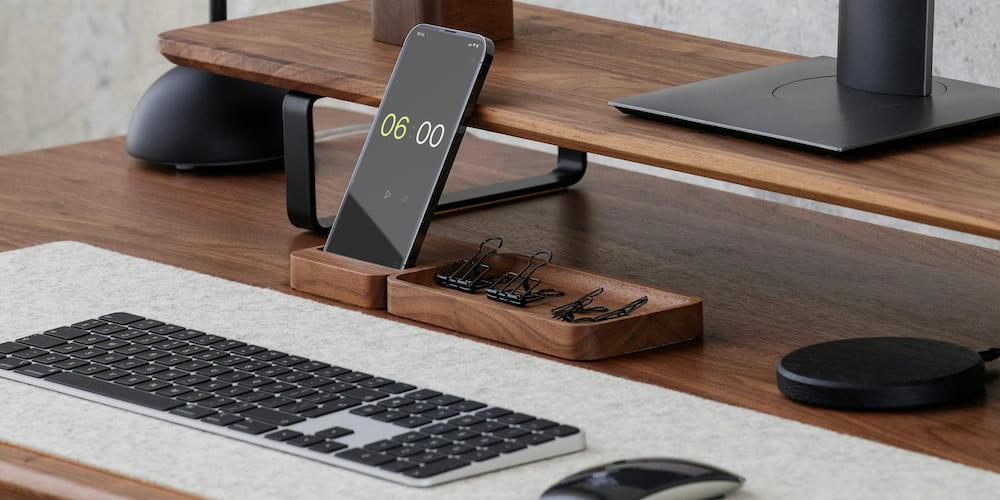
The 6-minute online timer offers many features designed to improve user productivity and convenience. These functions make the timer versatile and adaptable to various needs - from personal use to professional tasks.
- Sound selection and adjustment:
- Interface-based settings:
- Extensible functionality:
- Full-screen mode:
The timer allows you to turn the alarm sound on and off, as well as select one of the various alarm sounds. This feature ensures that notifications are received in a way that best suits your conditions, regardless of whether you need a loud alarm for those who are busy or a quiet beep for quiet rooms.
The values can be set not only in the settings menu, but also directly on the interface page. The user-friendly design allows you to quickly set the timer without going to the menu, which ensures convenient operation.
If the minute values are not enough, you can add a clock in the interface. This extends the timer's functionality, allowing it to work with longer intervals and more complex tasks, making it suitable for a wider range of tasks.
The timer can be displayed in full-screen mode, which is ideal for presentations, reports and presentations. This ensures that the timer will be visible to everyone in the room, which helps to hold events according to the schedule and manage time effectively.
Common questions about the 6-minute timer
Here are some frequently asked questions about using a 6-minute timer, its features, and benefits.
How can a 6-minute timer improve productivity?
A 6-minute timer helps break tasks into manageable intervals, reducing procrastination and making it easier to start and maintain focus on tasks.
Can I customize the alarm sound on a 6-minute timer?
Yes, the timer allows you to select from various alarm sounds or turn the alarm off, ensuring the notification suits your environment.
What are some effective uses for a 6-minute timer?
A 6-minute timer can be used for productivity boosts, short naps, exercise breaks, quick household chores, and focused study sessions, among other tasks.
Can the 6-minute timer be used for presentations?
Yes, the timer features a full-screen mode, making it ideal for keeping track of time during presentations, reports, and speeches.
What is the Pomodoro Technique?
The Pomodoro Technique is a time management method that uses short intervals, typically 25 minutes, followed by breaks. A 6-minute timer can be used for similar short, focused work sessions.
Can a 6-minute timer be used for relaxation techniques?
Yes, using a 6-minute timer for meditation can help reduce stress and improve mental clarity, providing long-term benefits for mental health.