


Understanding the purpose of a 100-second timer
A 100-second timer is a versatile and effective tool that serves a variety of purposes, from improving productivity to effectively managing time. Its simplicity, convenience, and modern design make it an ideal choice for solving a variety of tasks. Whether you need to focus on your studies, improve your concentration, or do household chores, a 100-second timer can be your reliable assistant.
Need a different interval? Try the 90-second timer or the 2-minute timer.

- Cooking
- Mnemonic techniques
- Scientific observations
- Concentration training
- Household chores
- Meditation and breathing exercises
- Countdown of events
In the kitchen, a 100-second timer is useful for determining the fast cooking time or to ensure accurate cooking times for dishes that require short intervals.
Using a 100-second timer for mnemonic techniques can help improve memory. By setting short, purposeful intervals, you will be able to practice and repeat information, which will make it easier to remember.
In scientific research, a 100-second timer can be used to observe and record short-term events or reactions. Its precise countdown helps maintain consistency and accuracy in experiments.
Concentration training with a 100-second timer involves focusing on a task for a short time, gradually increasing your ability to hold attention. This can be useful for both adults and children.
By using a 100-second timer to manage household chores, you can make them less burdensome. By distributing housework at reasonable intervals, you will be able to more effectively maintain order in the house.
Practicing meditation or breathing exercises with a 100-second timer can help achieve relaxation and mindfulness in a short period of time. This encourages regular practice without excessive time expenditure.
Counting down to the start of an event or activity with a 100-second timer creates a sense of anticipation and organization.
Maximizing the benefits of the timer
Effective use of a 100-second timer can significantly improve your productivity and time management skills. By incorporating this simple but powerful tool into your daily routine, you can achieve more in less time, stay focused, and feel motivated when completing each task. Here are some strategies to make the most of the 100-second timer.
To achieve accurate results, it is important to use the timer consistently and with clear goals. Start by identifying specific tasks that can be completed within 100 seconds. This clarity will help you stay focused and avoid distractions. For example, set a timer for quick study sessions, short-term cleaning, or brief physical exercises. By focusing on the task at hand, you can achieve more in a short period of time.
Another key strategy is to divide large tasks into smaller, easily doable parts. Instead of feeling overwhelmed by a lengthy project, break it down into 100-second intervals. This approach not only makes the task less difficult, but also allows for steady progress. For example, if you need to clean an entire room, set a timer for 100 seconds and focus on one area at a time. Gradually, you will see the cumulative effect of these small efforts.
Using a 100-second timer can also teach you how to find motivation in small results. Mark each completed interval as a mini-achievement. This positive reinforcement encourages you to keep working and creates a sense of momentum. Over time, you will develop the habit of completing tasks with enthusiasm and efficiency, knowing that even short-term efforts can lead to significant achievements.

Fact
The idea of a global time zone system was first proposed by Italian mathematician Quirico Filopanti in his book "Miranda" in 1859. He suggested dividing the Earth's surface longitudinally along meridians into 24 zones, each differing by one hour with precise alignment of minutes and seconds.
Exploring the functionality of a free online 100-second timer
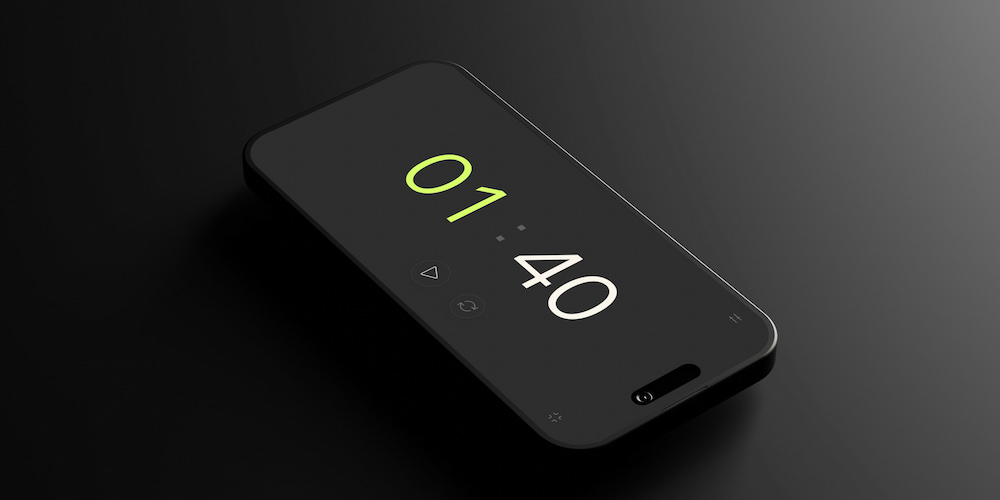
The functionality of the free online timer for 100 seconds goes beyond a simple countdown. Its advanced features and user-friendly design make it an indispensable tool for solving various tasks. Let's look at specific features that enhance the usability and effectiveness of the program.
- Setting up the audio signal
- Direct interface settings
- Fullscreen
The 100-second timer allows you to turn the alarm on or off and even select different sounds. This setting allows you to select the most appropriate signal for your environment and preferences.
In addition to setting the values in the timer settings, you can set the timer directly on the page. This feature provides convenience and quick access, allowing you to make immediate changes without going to a separate menu.
The full-screen viewing feature improves visibility and focus, making it ideal for presentations, classroom activities, or any other situation where it is useful to remove all distracting interface details. Thanks to this function, the timer is easy to use from a distance.
Frequently asked questions about the 100-second timer
Using a 100-second timer can greatly improve productivity and time management. Here are some common questions and answers to help you understand its features and benefits better.
How can a 100-second timer improve concentration?
A 100-second timer can help improve concentration by breaking tasks into short, focused intervals, making it easier to maintain attention and avoid distractions.
Can I customize the sound of the timer?
Yes, the 100-second timer allows you to turn the alarm on or off and select different sounds to suit your preferences and environment.
Is it possible to set the timer directly on the webpage?
Absolutely, you can set the timer directly on the page, providing quick access and convenience without navigating through separate menus.
How does the full-screen feature benefit users?
The full-screen feature improves visibility and focus, making it ideal for presentations and classroom activities by removing distracting interface details.
What are some effective uses of a 100-second timer?
A 100-second timer is effective for mnemonic techniques, scientific observations, concentration training, household chores, study sessions, and quick cooking tasks.
Can the timer be set for intervals other than 100 seconds?
Yes, the timer allows you to edit all values, which allows you to set accurate intervals, for example, you can select the clock display in the settings menu and thus expand the timer functionality for longer tasks.