


Why use a 5-minute timer?
A 5-minute timer is a versatile tool that can enhance productivity, manage time efficiently, and provide a structured approach to various activities. Its simplicity, convenience, and modern appearance make it a favorite for both personal and professional use. Here are some effective ways to utilize a 5-minute timer:
Related presets you can open in one click: the 4-minute timer and the 6-minute timer.

- Exercise and stretching
- Overcoming procrastination
- Short naps
- Presentations and pitches
- Meditation and relaxation
- Household chores
- Micro-breaks
Starting your day with a 5-minute exercise or stretching routine can boost your energy and set a positive tone for the rest of the day. This small commitment is easy to stick to and can have significant benefits for your physical health.
Setting a 5-minute timer can help you start tasks that you might be dreading. The hardest part is often getting started, and knowing you only have to work for five minutes can make it easier to begin. This technique is particularly effective for tasks that seem overwhelming at first.
A quick 5-minute nap can rejuvenate your mind and body, improving concentration and restoring energy. This is perfect for a quick break during a busy day, allowing you to return to your tasks with renewed focus.
Using a 5-minute timer for presentations ensures that you convey key points concisely and effectively. This time constraint forces you to prioritize information and communicate more clearly, making your message more impactful.
A brief 5-minute meditation session can reduce stress and improve mental clarity. Setting a timer allows you to fully relax without worrying about the time, making it easier to incorporate mindfulness into your daily routine.
Many household tasks can be completed in short bursts of time. Setting a 5-minute timer for activities like tidying up or organizing can make these chores feel more manageable and less time-consuming.
Taking 5-minute micro-breaks throughout the day can significantly boost productivity. These short breaks help to clear your mind, reduce feelings of overload, and maintain a high level of performance throughout the day.
The impact of short-term timers extends beyond just time management. They improve concentration, reduce stress, and introduce an element of fun and motivation to everyday tasks. Whether you're using it for work, relaxation, or daily chores, a 5-minute timer is a simple yet powerful tool to enhance your productivity and well-being.
Fact
Research by Dr. Gloria Mark from the University of California, Irvine, indicates that working in short, focused intervals, such as using a 5-minute timer, can significantly increase productivity and reduce the tendency to procrastinate. For more insights, you can read her interview on attention and productivity here.
Maximizing the benefits of a 5-minute timer
A 5-minute timer is not just a countdown tool; it's a powerful ally in enhancing productivity and managing time effectively. By understanding how to use it strategically, you can transform small intervals into moments of high efficiency and achievement. Here’s how to make the most out of a 5-minute timer:
First, set clear goals for each 5-minute session. This helps to ensure that the time is used effectively and that you can measure your progress accurately. Whether it’s writing a paragraph, cleaning a section of a room, or meditating, having a clear objective allows you to focus entirely on the task at hand without distraction.
Breaking down larger tasks into smaller, more manageable parts is another way to utilize a 5-minute timer effectively. Large projects can often seem overwhelming, leading to procrastination. By dividing them into 5-minute segments, you make the work seem less daunting and easier to tackle. Each completed segment gives a sense of accomplishment, motivating you to continue and gradually complete the entire task.
Incorporating a 5-minute timer into your routine teaches you to value short periods of time and use them productively. This practice not only enhances your time management skills but also improves your ability to concentrate and work efficiently. Whether you’re working, studying, or taking a break, the strategic use of a 5-minute timer can transform your approach to tasks and help you achieve more in less time.
Advanced features of a free online 5-minute timer
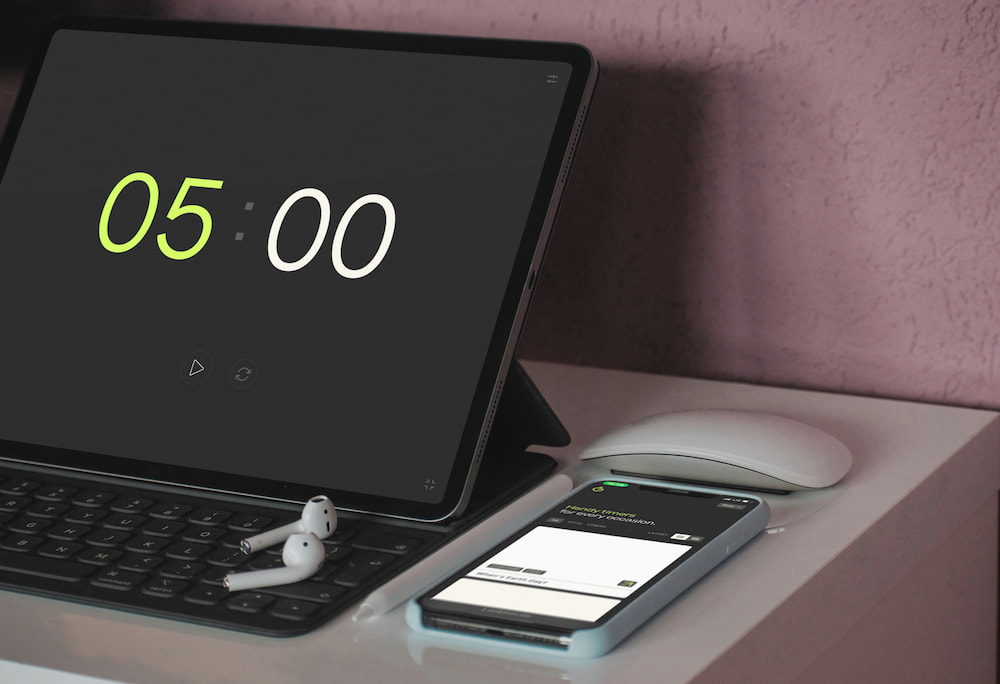
The functionality of a free online 5-minute timer extends beyond simple countdowns, offering various features that enhance its usability and convenience. These features are designed to cater to different needs, making the timer a versatile tool for both personal and professional use. Here are some key functionalities:
- Beep sound options
- Intuitive interface settings
- Full-screen feature
- Alarm and music integration
The timer includes customizable beep sounds that can be turned on or off according to your preference. Users can select from a variety of sounds to suit their environment, ensuring that the alert is both noticeable and pleasant. This feature is particularly useful for different settings, such as classrooms or quiet workspaces.
Values can be set not only within the settings menu but also directly on the main interface page. This intuitive design allows for quick adjustments and enhances user experience, making it easy to reset or modify the timer without navigating through multiple menus.
The full-screen mode is ideal for presentations, reports, and speeches. It ensures that the timer is visible to everyone in the room, helping speakers stay on track and manage their allotted time effectively. This feature is particularly beneficial in educational and professional settings where time management is crucial.
The timer can be set to play specific alarms or music tracks once the countdown ends. This feature adds an element of personalization and can be used to create a more engaging and motivating environment. It is especially useful in classrooms or for personal study sessions where a specific type of alert is needed.
Frequently asked questions about using a 5-minute timer
Here are some common questions and answers about the benefits, usage, and features of a 5-minute timer.
How can a 5-minute timer help with procrastination?
A 5-minute timer helps overcome procrastination by creating a manageable starting point, making it easier to begin tasks without feeling overwhelmed.
Can using a 5-minute timer improve focus?
Yes, using a 5-minute timer can enhance focus by encouraging short, intense periods of concentration, followed by brief breaks, which prevent mental fatigue.
What are some common uses for a 5-minute timer?
Common uses include short naps, exercise routines, focused work sessions, presentations, meditation, household chores, and micro-breaks.
Is a 5-minute timer useful for children?
Yes, a 5-minute timer is useful for children as it helps them stay focused on tasks, manage their time effectively, and build better study habits.
What features should I look for in an online 5-minute timer?
Look for features like customizable beep sounds, intuitive interface settings, full-screen mode.
Can a 5-minute timer help with stress management?
Yes, using a 5-minute timer for activities like meditation or relaxation can reduce stress and improve mental clarity by providing structured, short breaks throughout the day.
How does breaking tasks into 5-minute intervals benefit time management?
Breaking tasks into 5-minute intervals makes large tasks seem less daunting, helps maintain focus, and provides frequent opportunities for achievement, improving overall time management.