


Why use a 60-second online timer?
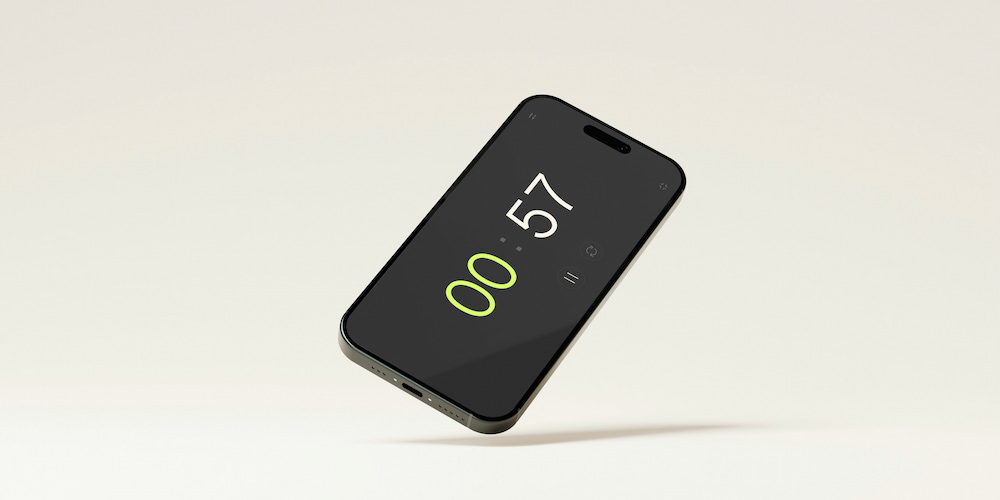
In our fast-changing world, a simple tool like a 60-second online timer can make a big difference. Whether you need a countdown for training sessions, cooking, or even for a quick workout, this timer is simple, convenient, and modern in appearance. Let's look at some practical applications and benefits of a 60-second timer.
Other handy presets nearby: the 55-second timer and the 1-minute timer.
Mnemonic techniques
Using a 60-second timer for mnemonic techniques can improve memory training. By focusing on memorizing information in a short period of time, you force your brain to improve its memory abilities. For example, try to memorize a list of words and see how many of them you can memorize in 60 seconds.
Scientific observations
For scientific observations requiring short and precise intervals, a 60-second timer is indispensable. Regardless of whether you are observing chemical reactions or biological processes, accurately timing these events can lead to more reliable results. Use the timer to mark the intervals and carefully record your observations.
Concentration training
You can increase your concentration by setting a timer for 60 seconds. Use this short period of time to fully focus on the task without being distracted by anything. Gradually increase the duration of the timer as your ability to concentrate improves.
Household chores
Turn routine household chores into a game with a 60-second timer. Try to do as much as possible during the cleaning in one minute. This can make completing tasks more enjoyable and improve results.
Training sessions
Break down the training sessions into easy-to-understand fragments using a 60-second timer. Use it for quick analysis, training using flashcards, or focused activities. This method can help keep you motivated and prevent emotional burnout.
Maximizing the benefits of a 60-second timer
A 60-second timer is more than just a tool for keeping track of time. It can be a powerful aid in enhancing productivity, improving focus, and achieving more in less time. Here’s how you can use this simple tool to its fullest potential.
To achieve accurate results with a 60-second timer, it’s important to stay focused on the task at hand. Eliminate all distractions and dedicate the full minute to the activity. This level of concentrated effort can lead to more precise outcomes, whether you’re conducting an experiment, practicing a skill, or completing a small task.
Another effective strategy is to break down larger tasks into smaller, manageable parts. Use the 60-second timer to tackle each segment individually. This approach can make daunting tasks seem less overwhelming and more achievable. By focusing on one small part at a time, you can make steady progress and maintain motivation throughout the process.
Learning to appreciate small results is key to staying motivated. Use the timer to set short, achievable goals and celebrate each small victory. For instance, if you’re studying, aim to review a certain number of flashcards in 60 seconds. Each successful session can boost your confidence and encourage you to keep going. This mindset helps in building a positive attitude towards completing tasks efficiently and effectively.
Practical examples of using a 60-second timer
The 60-second timer can be used in a variety of situations. Its versatility makes it an indispensable tool for improving productivity, concentration, and effective task management. Here are some practical examples of how a 60-second timer can be used effectively.

- For cooking
- Meditation and breathing exercises
- Physical exercises
- Countdown time for events
- Activities for children
- Productivity in the workplace
- Quick cleaning
When cooking, for example, when cooking eggs, making tea or preheating the oven, it is important to choose the right time. A 60-second timer ensures that you do not overcook or undercook the dish, which will help you achieve the perfect result every time. It is also useful, for example, to determine the time between mixing ingredients.
A 60-second timer can be a great tool for meditation and breathing exercises. One minute of concentrated breathing or mindfulness can reduce stress and improve mental clarity. This is an acceptable time interval for beginners who want to incorporate these practices into their daily routine.
Include a 60-second timer in your workout program to manage your sets and intervals. For example, you can do high-intensity exercises, such as long jumps from a standing position or push-ups, for 60 seconds, and then rest a little. This method increases the effectiveness of training and allows you to stay in good shape.
The 60-second timer is ideal for counting down time to the start of an event or activity. Whether it's the start of a meeting, a race, or a presentation, the timer ensures that everyone is ready to start at the same time.
Engage children in various activities with a 60-second timer. You can use it to put away your toys or perform a fun task. The timer adds excitement and encourages them to actively participate.
In the workplace, the 60-second timer can be used for quick team meetings or brainstorming sessions. Setting a timer for one-minute speeches allows everyone to stay concise and focused, which makes meetings more productive and effective.
At the end of the working day, you can use a 60-second timer to quickly clean your workplace or home. This short period of time is enough to put things in order, and the next day you will have a clean and orderly environment.
Timer functions
The free online 60-second timer offers a number of features that make it a great tool for solving various tasks. Here are a few key features of this universal timer.
- The sound signal
- Setting values directly in the interface
- Configurable timer values
- Full-screen mode
The timer is equipped with an audible alarm that can be turned on or off depending on the user's preferences. In addition, you can choose different sounds that best suit their conditions and needs. This feature ensures that the timer can be used in both quiet and noisy environments without causing malfunction.
In addition to setting parameters, users can set timer values directly in the interface. This intuitive feature allows you to make changes quickly and easily without going to the menu. Regardless of whether you need to set a timer for 1 minute or 30 seconds, all this is available with a few clicks on the main page.
You can set the timer for any duration, for example, for 1 minute and 30 seconds. This feature allows you to accurately allocate time according to specific tasks. If minutes are not enough, you can turn on the clock display in the settings menu, thereby extending the timer functionality for longer tasks.
The timer can be switched to full-screen mode, which makes it easier to view from a distance. This is especially useful during group events or presentations where visibility is crucial. The full-screen viewing feature enhances the user experience by providing a clear and unobstructed countdown display.

Fact
Using short, structured time intervals, such as a 60-second timer, can significantly increase productivity and reduce procrastination, creating a sense of urgency and focus.
Frequently asked questions about the 60-second timer
Below are some common questions and answers about the usage, functionality, and benefits of the 60-second timer.
Why is a 60-second interval effective for productivity?
A 60-second interval is effective because it provides a short, manageable timeframe that helps to break tasks into smaller, more focused segments, reducing the tendency to procrastinate.
How does a timer help in managing stress?
A timer helps manage stress by breaking work into short, focused intervals, preventing burnout and providing regular breaks, which can lead to better overall mental health.
Can using a timer improve time perception?
Yes, using a timer can improve your perception of time by making you more aware of how long tasks actually take, leading to more accurate time management and planning.
What are some creative uses for a 60-second timer?
Creative uses for a 60-second timer include rapid brainstorming sessions, quick art challenges, or speed reading drills, all of which can enhance creativity and productivity.
How can a 60-second timer be useful in educational settings?
In educational settings, a 60-second timer can be used for quick quizzes, timed discussions, and short breaks, helping to keep students engaged and managing classroom time effectively.
How can short timers be integrated into daily routines?
Short timers can be integrated into daily routines by using them for tasks like cleaning, exercise, or focused work periods, helping to structure your day and make better use of time.