


Why use an online timer for 24 hours?
A 24-hour timer covers a full day: paint that needs a day to cure, an overnight marinade or the final countdown to a launch. Here are several ways to use it.
Need a shorter countdown? See the 12-hour timer or the 10-hour timer.

- Preparation for significant events
- Organization of work tasks
- Long food preparation
- Long experiments and waiting periods
- Creating an atmosphere of anticipation
On the day before a wedding or corporate event, show the timer on a large screen so your team can see how long is left. It's easier to keep last-minute preparations on track.
Use the timer to count down the last day before a project is due and keep it visible on your computer or TV. A visible countdown can help you focus on what still needs to be done.
Marinades, brines and some bread doughs can take up to a day. A 24-hour timer reminds you when it's time to move on to the next step.
Some experiments and products need a full day: sprouting seeds, letting glue set or waiting for paint to cure. The timer tells you when the wait is over, so check the instructions for the exact time.
Show a 24-hour countdown on a screen before New Year's Eve, a product launch or another special occasion. Watching it run down adds to the excitement.
Tips for counting down a full day
A countdown this long needs a little preparation.
- Keep the page open
- Display the timer prominently
- Plan breaks and sleep
- Plan for the alert
- Break the day into smaller goals
Keep the timer tab open and your device plugged in and awake, because a sleeping computer or phone may interrupt the countdown or the alert.
Show the timer on your computer, TV or smartphone so you can always see the time left. The remaining time also appears in the browser tab title.
A full day includes rest. Plan when you'll take breaks and sleep, so the countdown doesn't push you to work all night.
Before you start, check the time the timer will end. If that falls overnight, turn the volume up or down accordingly.
Decide what needs to happen before the countdown ends and split it up across the day. You can then use a shorter timer for each task.

Fact
Minutes and seconds were known long before clocks could show them. Mechanical clocks first showed them in the late 16th century, but this became common only in the 17th.
Free 24-hour timer: key features
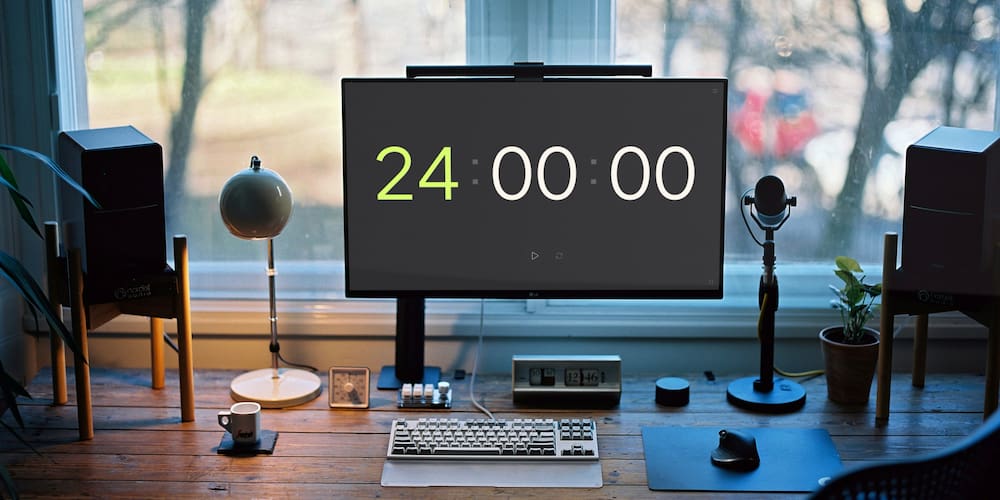
The timer opens at 24 hours and is ready to start. It's free and needs no install or sign-up.
- Sound:
- Typing the time on the digits:
- Full-screen mode:
- Compatibility with various devices:
Choose from several alert sounds, adjust the volume or mute the timer.
Click the big digits and type a new value without opening a menu. The +/- buttons in the settings also work during the countdown.
Full-screen mode makes the remaining time easy to read on any device, which is especially useful on a large screen at an event.
The timer works in the browser on computers, tablets and smartphones.
Common questions about a 24-hour timer
Short answers about setting up and using the 24-hour timer.
How do I change the sound on the 24-hour timer?
Open the settings to choose an alert sound, change the volume or mute the timer.
Can a 24-hour timer be used for experiments?
Yes. A 24-hour timer can tell you when a day-long stage is over, though long experiments should also be checked against a lab clock if accuracy is critical.
How do I set a 24-hour timer?
The timer is already set to 24 hours, so just press Start. Keep the page open and your device awake until it ends.
Will the 24-hour timer keep running in another tab?
Yes. The timer keeps running in another tab, and the remaining time appears in the tab title. Keep your device awake so the countdown isn't interrupted.
How does a 24-hour timer help with organizing events?
A 24-hour timer shows organizers and the whole team how much time is left, which helps during the final day of preparation for a conference or festival.
Does the 24-hour timer work on a phone?
Yes. The timer works in the browser on computers, tablets and smartphones.