


Effective ways to utilize a 10-hour online timer
A 10-hour timer, with its simplicity and functionality, proves invaluable in managing extended periods effectively, suitable for both personal and professional use. This timer's modern design and ease of use make it an essential tool for anyone looking to track substantial time frames.
Working to another length? Open the 6-hour timer or the 12-hour timer instead.

- Event Setup and Coordination:
Event planners coordinating setup activities for weddings, festivals, or corporate events can track the overall preparation time, ensuring each task is completed within the allocated window. This use of the timer helps maintain the schedule and manage the team's efforts effectively.
- Art and Craft Projects:
Artists working on large pieces, like murals or sculptures, can use the timer to manage their workday effectively, ensuring that they maintain steady progress while also scheduling necessary breaks to step back and review their work's evolution.
- Long-Duration Cooking:
For culinary tasks such as smoking meat or slow-cooking stews, where precise timing over several hours is crucial, the timer helps chefs monitor the cooking process without having to constantly check the clock.
- Project Deadlines:
Professionals with looming deadlines might need to dedicate a full day to wrap up a project. The timer helps by breaking the day into workable segments, enabling focus on different project components sequentially, ensuring comprehensive attention to detail.
Tips and practical advice on using timers
Online timers have become an integral part of modern time management. Their simplicity and accessibility make them the perfect tool for managing time in a variety of situations. From enhancing focus to structuring daily routines, here’s how you can leverage online timers to optimize your productivity and efficiency.
Focus on a single task: Scientific studies indicate that concentrating on one task at a time—monotasking—can significantly enhance productivity and reduce stress levels. By setting a timer for a specific duration, you create a psychological barrier against distractions, allowing you to delve deeper into your work and maintain a high level of concentration.
Break large tasks into subtasks: Dividing complex or extensive projects into smaller, manageable segments with specific time limits can greatly improve the overall manageability of the process and reduce the risk of feeling overwhelmed. This approach not only makes the task seem less daunting but also provides clear milestones and progress checks.
Motivation through time limitation: Setting a timer can serve as an excellent motivational tool. By imposing time constraints on different tasks, you condition your brain to use the available time efficiently, which can lead to increased focus and productivity.
Time management in meetings: Using a timer to limit the duration of meetings can make them more productive and focused. It helps in keeping discussions concise and on point, minimizing the time spent on unnecessary deliberations and ensuring that meetings are effective.
Regulating daily routines: Set timers at specific intervals to manage your daily rhythm: time for morning exercises, work periods, breaks, and even sleep. This not only helps in maintaining a healthy balance throughout your day but also ensures you dedicate enough time to each activity, making your day more structured and predictable.

Fact
If you work an extra 25 minutes every day, you will accumulate more than 152 additional hours in a year. That's nearly 19 full eight-hour workdays!
Timer functions
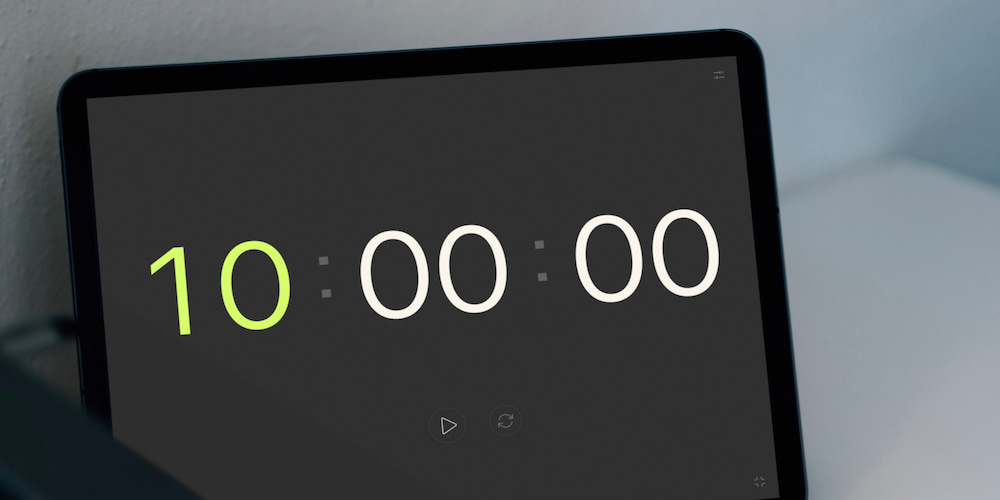
Our free 10-hour online timer offers a range of handy features that make it a flexible and convenient tool for various tasks.
- Customizable sound alerts:
The online timer comes equipped with customizable sound alerts. Users can choose to turn the sound on or off and select from a variety of alert tones to signal the end of a timing session. This feature is particularly useful in different environments, whether noisy, where a distinct sound is necessary, or in quiet settings where discretion is preferred.
- Direct interface settings adjustments:
For added convenience, the timer's settings can be adjusted not only within a dedicated menu but directly on the page interface as well. This allows for quick and easy time modifications without interrupting your workflow, enabling you to set the necessary hours, minutes, and seconds with just a few clicks.
- Toggle display of clock elements:
The timer settings include the ability to turn off the display of hours and minutes, focusing solely on seconds if desired. This flexibility makes the timer adaptable for various scenarios, such as short interval timing in sports training or during game sessions.
- Full-screen functionality:
The timer can be expanded to fullscreen, making it an excellent tool for presentations, trainings, or countdowns to significant events. In full-screen mode, all additional interface elements are hidden, providing a clean and visually appealing display that enhances viewer focus.
FAQs
Discover answers to frequently asked questions about the functionalities and applications of online timers. These responses will help clarify how these tools can be integrated into daily tasks for enhanced productivity and time management.
What makes a 10-hour timer useful for professionals in various fields?
A 10-hour timer aids professionals by helping manage extensive work periods, ensuring that tasks such as project completions, event setups, and lengthy experiments are conducted within allocated timeframes, promoting efficiency and productivity.
How does the sound alert work on an online timer?
The sound alert on an online timer can be customized to suit user preferences. You can select different sounds for alerts, and toggle the alert feature on or off depending on your environment or task requirements.
In which situations is the full-screen feature particularly useful?
The full-screen feature of a timer is particularly useful during presentations, training sessions, events countdowns, and even in kitchen settings for cooking. It helps keep everyone aligned on the remaining time without distractions from other interface elements.
How do you operate an online timer?
To start an online timer, simply set the desired time using the numbers on your keyboard or the up and down arrows in the interface, then press 'Start' or 'Enter' to begin. To pause the timer, you can press the space bar or click the pause button directly on the screen.
What are the advantages of using a timer over other time management tools?
Timers offer precise control over time management by allowing users to set definite boundaries and intervals for focused work or rest periods, which can enhance productivity and reduce the likelihood of burnout compared to more passive tools like to-do lists or calendars.