


Why use a 30-second online timer?
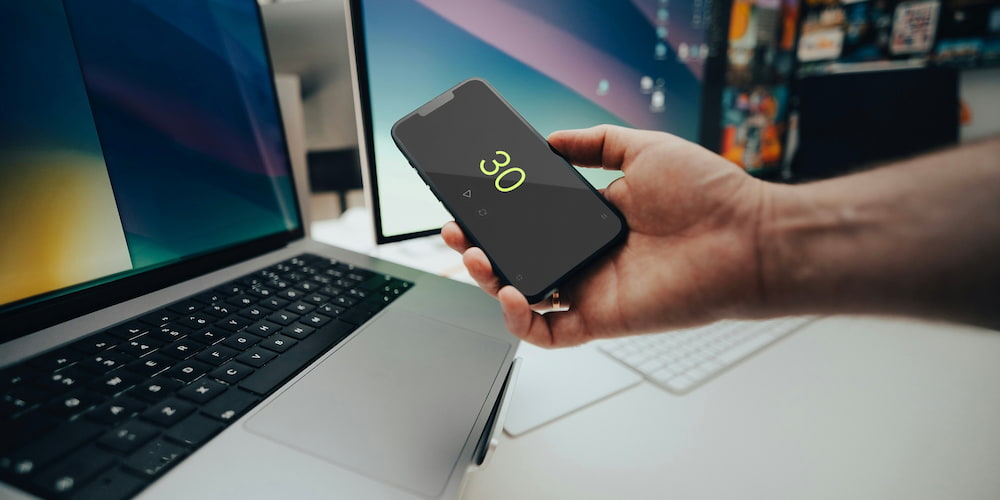
A 30-second online timer, featuring a beep to mark the end, offers simplicity and convenience for a variety of tasks. Its modern interface and ease of use make it a popular choice for activities that require short, precise intervals. Here are several ways you can benefit from using a 30-second timer:
Also popular around this length: the 25-second timer and the 40-second timer.
- Mnemonic techniques
- Response time
- Scientific observations
- Concentration training
- Kids' activities
- Exercise intervals
Memory training using short time intervals is highly effective. For example, setting a 30-second timer can help you focus on memorizing small chunks of information quickly. Repeating this process several times can significantly enhance your ability to recall information.
In quizzes or mind games, a 30-second countdown ensures a fair and fun game. He sets a clear time frame for answering questions, which creates an atmosphere of competition and better engages in the game.
When conducting experiments that involve recording short-term events or reactions, a 30-second timer is invaluable. It ensures that observations are made consistently, improving the reliability of the results.
Using a 30-second timer for mindfulness exercises can greatly enhance your focus. Short intervals of concentrated effort, followed by brief breaks, can help train your brain to maintain attention over longer periods.
A 30-second timer is perfect for keeping children engaged in short activities. Whether it's a quick cleanup game or a short exercise session, the timer adds an element of fun and structure.
Incorporating 30-second intervals into your workout routine can boost its effectiveness. Short bursts of intense activity, followed by rest periods, are a great way to improve cardiovascular health and overall fitness.
Features of a free online 30-second timer
The free online 30-second timer has a number of functional features designed to increase the convenience and flexibility of its use. Its intuitive interface allows you to configure the timer easily and without unnecessary effort, making it suitable for various needs. Here are some of the key features:
- The sound signal
- Simple setting of values
- Additional time units
- Full-screen mode
The timer is equipped with an audible alert function, which can be turned on or off depending on your preferences. In addition, you can choose different sounds for the alarm clock, allowing you to individually adjust the alert.
You can set timer values directly in the interface without having to go to the settings menu. This speeds up the setup process and makes using the timer clearer and easier.
For tasks requiring more flexibility, the timer allows you to add additional minutes and hours. This feature extends the functionality of the application beyond the initial 30 seconds, making it versatile for longer tasks.
The full-screen viewing feature improves visibility and focus by hiding unnecessary interface elements. This is especially useful in the classroom or at group events where a larger display is required.

Fact
Research shows that using a timer for regular breaks can boost productivity and creativity because the brain works better during short periods of focused activity.
Advantages of using a timer
Using a timer provides many advantages in various areas of life. From simplifying everyday tasks to improving productivity and concentration.
The timer helps to optimize various activities—from games and entertainment to work and study. In a work environment, a timer can improve time management by breaking down tasks into manageable intervals, helping you stay focused and productive. For students, timers can help maintain concentration during training sessions and ensure effective allocation of breaks to avoid emotional burnout. In addition, in wellness and fitness programs, timers are necessary for interval training and exercise duration management.
In addition to structured activities, timers also ensure order in everyday tasks. They can be used in the kitchen to ensure optimal cooking time, in classrooms to keep lessons on schedule, and in games to add excitement and complexity. The simplicity and reliability of the timer make it an indispensable tool for effectively solving both simple and complex tasks.
Frequently Asked Questions
Here are some frequently asked questions about using a 30-second online timer, its features, and benefits.
How does the sound feature work on the 30-second timer?
The 30-second timer includes a customizable sound feature that can be turned on or off, and users can choose different alarm sounds to suit their preferences.
Is the full-screen mode useful for classrooms?
Absolutely, the full-screen mode enhances visibility by enlarging the timer display, making it perfect for classroom settings and group activities.
What are some practical uses of a 30-second timer?
A 30-second timer can be used for games, study sessions, interval training, cooking, and various other tasks that require precise time management.
Does the timer help with memory training?
Yes, the timer is useful for mnemonic techniques, helping users focus on memorizing small chunks of information within a set time frame, thereby improving recall.
What makes the 30-second timer suitable for kids?
The simplicity and flexibility of the 30-second timer make it great for kids, adding structure and fun to activities like quick games, exercises, and study breaks.
Can the timer be used for exercise routines?
Yes, the timer is perfect for exercise routines, especially for interval training where specific exercise durations and rest periods need to be timed accurately.